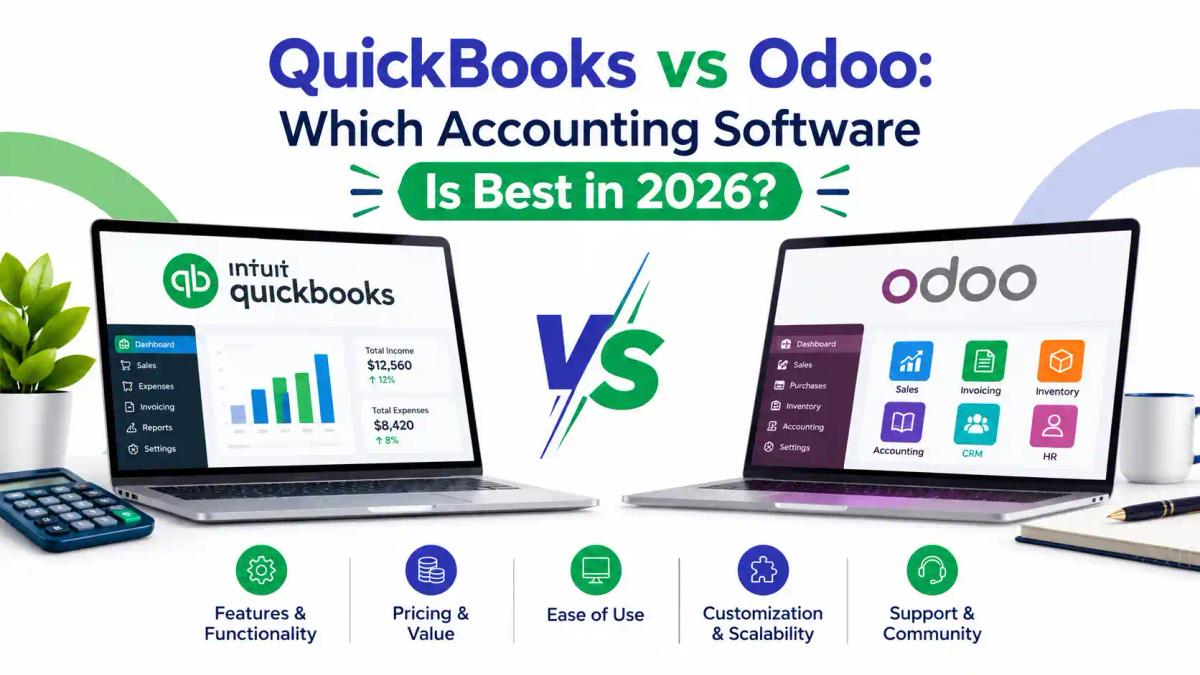
QuickBooks vs Odoo: Which Accounting Software Is Best in 2026?
Introduction
Choosing between QuickBooks and Odoo is rarely a simple feature-for-feature contest. QuickBooks is a dedicated accounting product built around bookkeeping, invoicing and reporting. Odoo is a modular business platform in which accounting is one app among many, alongside inventory, sales, purchasing, CRM and manufacturing. The right choice depends less on which logo is better known and more on how your business actually runs day to day.
The decision matters because accounting software becomes the backbone of your financial records. A poor fit means duplicate data entry, weak stock-to-ledger accuracy, costly migrations later and a harder time answering tax or audit queries. In Pakistan, the question carries extra weight because of local tax reporting and the move towards FBR digital invoicing.
This guide compares both platforms on features, pricing models, ease of use, inventory, multi-company support, integrations, security and Pakistan-specific considerations. It ends with a verdict by business type, a migration outline and a buyer’s checklist. Pricing figures are deliberately not quoted as fixed numbers, because both vendors change plans and regional rates often. Check the official pages before you budget.
Quick Answer: QuickBooks or Odoo?
QuickBooks suits businesses that mainly need straightforward, cloud-based bookkeeping, invoicing and reporting. Odoo suits businesses that want accounting joined to inventory, sales, purchasing, CRM and manufacturing in one system. For most Pakistani SMEs with stock and multiple workflows, Odoo is usually worth evaluating first; for simple service businesses, QuickBooks may be enough.
- QuickBooks is accounting-first; Odoo is an ERP with an accounting app.
- QuickBooks pricing is tiered by plan and user limits; Odoo pricing is per user, with one free app.
- Odoo offers a Pakistan accounting localisation package; verify QuickBooks’ fit for local tax workflows before committing.
- Odoo usually needs more setup; QuickBooks is generally quicker to start.
- Always compare total cost of ownership, not just the subscription.
What Is the Main Difference Between QuickBooks and Odoo?
The main difference is scope. QuickBooks focuses on accounting. Odoo covers accounting plus the operational processes that create accounting transactions, such as sales orders, purchase orders, stock movements and production.
What Is QuickBooks?
QuickBooks is accounting software from Intuit. The cloud version, QuickBooks Online, is sold in tiers that Intuit has historically named Simple Start, Essentials, Plus and Advanced. Higher tiers add users and features. According to Intuit’s published plan descriptions, Essentials adds bill management, time tracking and multiple currencies, while Plus adds inventory tracking and project features. Intuit’s lineup, names and prices change, so confirm the current plans on the QuickBooks Online pricing page.
What Is Odoo Accounting?
Odoo is a modular business platform, with an open-source Community edition and a paid Enterprise offering. Its Accounting app handles the general ledger, invoicing, vendor bills, bank reconciliation, taxes and financial reports. Because it sits alongside other Odoo apps, a sales order or stock movement can flow into accounting without re-keying. For a deeper look at the module itself, see ICT’s Odoo accounting guide.
What Is the Difference Between Accounting Software and ERP?
Accounting software records and reports financial transactions. An ERP (enterprise resource planning) system manages the wider operation, including inventory, purchasing, sales, HR and manufacturing, and posts the financial effect automatically. Standalone accounting software can be integrated with other tools, but each connection is something you have to maintain. If you are new to the basics, ICT’s guides on AI for bookkeeping and software tax professionals use give useful background.
What Are the Key Differences Between QuickBooks and Odoo at a Glance?
The quickest way to separate the two is by design purpose, scope and cost logic. Treat this as a starting summary, then verify details against each vendor’s current documentation.
- Design purpose: QuickBooks is accounting-first. Odoo is a modular business platform with an accounting app.
- Scope: QuickBooks covers bookkeeping, invoicing, expenses and reporting. Odoo adds inventory, purchasing, sales, CRM, manufacturing and more.
- Pricing logic: QuickBooks is sold in plan tiers with user limits. Odoo is priced per user, with a free single-app option.
- Setup effort: QuickBooks is generally lighter to start. Odoo usually needs more configuration.
- Customisation: QuickBooks leans on its app marketplace. Odoo offers deeper customisation, especially on higher plans.
- Hosting: QuickBooks Online is vendor-hosted. Odoo offers online, Odoo.sh, on-premise and self-hosted routes depending on edition and plan.
- Best fit: QuickBooks for simpler bookkeeping needs. Odoo for businesses wanting accounting joined to operations.
If you want a wider market view of accounting tools, ICT’s AI accounting software comparison and software tax professionals use are useful companions.
How Do QuickBooks and Odoo Compare on Core Features?
Both cover double-entry bookkeeping, invoicing, expense tracking, bank feeds and standard financial statements. The differences appear in depth, flexibility and how much of the wider business each can run.
Bank Reconciliation, Payables and Receivables
Both platforms support bank connections and reconciliation, accounts payable and accounts receivable. In practice, test with your own bank statements and a sample of messy transactions. Reconciliation quality depends on your bank’s feed support, which in Pakistan can differ from what vendors demonstrate in global marketing material.
Financial Reporting
QuickBooks offers standard reports such as profit and loss, balance sheet and cash flow, plus customisation within its report tools. Odoo provides comparable financial reports and, being modular, can combine them with sales, stock and project data. If reporting precision matters to you, ask each vendor to rebuild one real report from your business, such as aged receivables by customer.
Users, Roles and Audit Trail
QuickBooks limits the number of users by plan, and Intuit’s published material describes an audit log on the Essentials tier. Odoo assigns access rights per user and per app. Check how each handles approvals, restricted access and change history, because these affect internal controls and audit readiness. ICT’s guide to tax audits in Pakistan explains why clean records matter.
How Do QuickBooks and Odoo Pricing Models Differ?
They are priced on different logic, which makes direct comparison misleading unless you model your own numbers.
How Does QuickBooks Pricing Work?
QuickBooks Online is sold as tiered plans. Each plan includes a set number of users and features, and moving up a tier unlocks things like inventory or more users. Third-party price comparisons in 2026 show different figures depending on date, promotion and country, so do not rely on a blog’s number, including ours. Check Intuit’s current page for your region.
How Does Odoo Pricing Work?
Odoo’s official pricing page describes three plans: One App Free (one app, unlimited users), Standard (all apps on Odoo Online) and Custom (adds Odoo Studio, multi-company support, external API access and more hosting choices). Prices are per user per month, and Odoo applies different rates in different regions. Review the official Odoo pricing page from your own location. The Community edition is open source and has no licence fee, but you carry hosting, maintenance and support yourself.
What Does Total Cost of Ownership Include?
A fair comparison counts more than the subscription. Build a three-year view using these lines:
- Subscription or licence fees for every user you will need
- Add-ons, integrations and third-party apps
- Implementation, configuration and data migration
- Customisation and developer time
- Training for finance and operations staff
- Hosting and backup, if self-hosted
- Ongoing support and upgrades
- The cost of manual work you keep doing because a feature is missing
QuickBooks often looks cheaper at the start because setup is lighter. Odoo can look cheaper once you would otherwise pay for separate inventory, CRM and purchasing tools. Neither statement is universal; only your own model will tell you. ICT’s AI accounting software comparison is a helpful companion for this exercise.
What Is the Difference Between Odoo Community and Odoo Enterprise for Accounting?
This distinction catches many buyers out. Odoo Community is the free, open-source edition, but its accounting capability is limited. Partner comparisons commonly describe Community as covering invoicing, payments and basic bookkeeping, while the full Accounting app is listed as an Enterprise feature.
What Does Odoo Enterprise Add for Accounting?
According to partner edition comparisons, Enterprise adds items such as guided bank reconciliation, bank synchronisation, financial reports, asset management, budgets and country localisation packages. Odoo’s own documentation notes that fiscal localisation packages need fine-tuning after installation, so even Enterprise is not plug-and-play. See Odoo’s fiscal localisation documentation.
Can You Run Accounting on Odoo Community?
Possibly, for simple needs, and community-maintained add-ons exist for some missing features. But add-ons carry maintenance and compatibility risk after upgrades, and you need technical support to manage them. If accounting is central to your business, price the Enterprise route in your three-year cost model rather than assuming Community will be enough. Our Odoo accounting guide explains the module in more depth.
Which Edition Suits Which Business?
- Community may suit: technically capable teams, simple invoicing, pilots, or businesses whose bookkeeping stays with an outside accountant.
- Enterprise may suit: businesses that want accounting to run inside Odoo, with reconciliation, reporting and support.
Which Is Easier to Learn and Use?
QuickBooks is generally the faster starter. Its interface is built around familiar accounting tasks, and there is a large body of tutorials. Odoo has a steeper learning curve because the platform is broader, and a good setup requires decisions about modules, workflows, taxes and the chart of accounts.
For accountants, the question is often practical: do they already know the tool? Many Pakistani accountants have learned QuickBooks, Xero or local software. If your team is more comfortable in Xero, ICT’s Xero accounting guide explains how that platform works, and the QuickBooks course guide covers the training route. For Odoo, see the Odoo for Business ERP Automation course.
Which Is Better for Inventory-Heavy Businesses?
If stock is central to your business, Odoo has the structural advantage because inventory, purchasing, sales and accounting are designed to work together. QuickBooks offers inventory tracking on higher plans, which can suit simpler stock needs.
What Should You Test in Inventory Accounting?
Before choosing, test these scenarios in a demo:
- Receive stock against a purchase order and post the vendor bill.
- Sell stock, issue a delivery and check the cost-of-goods-sold entry.
- Handle a partial delivery and a customer return.
- Run an inventory valuation report and reconcile it to the general ledger.
- Transfer stock between warehouses or branches.
The software that handles all five cleanly with minimal manual journals is the better fit. Businesses trading in imports and exports should also review ICT’s guides on import and export laws for entrepreneurs and the Master Import and Export course.
Which Handles Multiple Companies, Currencies and Branches Better?
Odoo is built for multi-company use, and its pricing page lists multi-company support under the Custom plan. QuickBooks Online generally works on a company-by-company basis, so confirm whether your plan offers consolidated reporting for several entities.
Both platforms support multiple currencies on suitable plans. For QuickBooks, Intuit’s plan descriptions place multi-currency from the Essentials tier upward. If you invoice overseas clients, also review ICT’s cross-border tax compliance guide. Businesses with US clients may find the US LLC tax filing guide and the LLC Formation course relevant.
How Do QuickBooks and Odoo Compare for Payroll and Expense Management?
Payroll is where global software most often falls short locally, so check this early.
Does QuickBooks Payroll Work in Pakistan?
QuickBooks sells payroll as a separate product or add-on in some countries, and availability, rules and tax tables differ by country. Do not assume a Pakistan-ready payroll exists. Ask Intuit or an authorised partner directly, and if it does not, plan to run payroll separately and post summary journals.
How Does Odoo Handle Payroll and Expenses?
Odoo has HR, expenses and payroll apps, and some comparisons list payroll as an Enterprise feature. Payroll rules are country-specific, so ask your implementation partner whether Pakistan salary rules, allowances and tax deductions are available or need to be configured. Employers should understand the tax side regardless of the software. See ICT’s guides on income tax slabs in Pakistan, tax deductions for salaried persons and the Section 165 withholding statement guide.
What Should You Test for Expenses?
Test receipt capture, approval flows, reimbursement posting and category mapping with a real month of expense claims. For HR-side skills, ICT also offers the Certified Human Resources course.
How Do Customisation and Integrations Compare?
QuickBooks relies mainly on its app marketplace and connectors for extra functionality. Odoo is more adaptable: its Custom plan includes Odoo Studio and external API access, and the open-source model allows deeper development. That flexibility is useful but increases maintenance and risk. Heavily customised ERPs cost more to upgrade, so keep customisation focused on genuine business needs.
Can QuickBooks and Odoo Work Together?
Third-party connectors between the two may exist, but they should be treated with caution. Running both long term usually means duplicate data and reconciliation problems. If you are considering a connector, ask the vendor for references, check how it handles tax and currency, and test with sample data.
How Do E-commerce, CRM and Payment Integrations Differ?
Odoo includes CRM, sales and e-commerce apps in the same platform, so there is less to connect. With QuickBooks, you typically connect separate tools. Compare how each handles the platforms you actually use, whether Shopify, WooCommerce, Stripe, PayPal or a local payment provider.
How Do Security, Hosting and Data Control Compare?
QuickBooks Online is a vendor-hosted cloud service, so Intuit manages hosting and updates. Odoo offers more choice. The Custom plan lists Odoo Online, Odoo.sh and on-premise deployment, and the Community edition is self-hosted.
More choice means more responsibility. Ask each vendor, and any implementation partner, about:
- Where your data is hosted
- How backups and recovery are handled
- How user permissions and access are controlled
- How you can export your data if you leave
- What happens to your data if a subscription ends
Do not rely on assumptions about certifications; request current documentation from the vendor.
What Are the Pros and Cons of QuickBooks and Odoo?
These are general strengths and weaknesses based on how each product is designed. Your own workflows decide how much each point matters.
QuickBooks Pros and Cons
Pros:
- Quick to start and familiar to many accountants
- Strong focus on core bookkeeping and invoicing
- Large library of tutorials and third-party apps
- Cloud access with vendor-managed updates
Cons:
- Narrower scope for inventory, manufacturing and operations on lower plans
- User limits and plan upgrades can add cost as you grow
- No verified Pakistan-specific localisation that we could confirm
- Less room for deep customisation
Odoo Pros and Cons
Pros:
- Accounting joined to inventory, sales, purchasing, CRM and manufacturing
- Per-user pricing with all apps on paid plans, plus a free single-app option
- Flexible customisation and multiple hosting routes on higher plans
- A listed fiscal localisation package for Pakistan
Cons:
- More setup and a steeper learning curve
- The full accounting app and some features sit in Enterprise
- Heavy customisation raises upgrade and maintenance effort
- Result quality depends heavily on the implementation partner

What Hidden Costs and Limitations Should You Plan For?
Subscription pages rarely show the full price. Plan for these items before signing.
Hidden Costs With QuickBooks
- Moving up a plan when you need more users, inventory or currencies
- Paid add-ons and third-party apps for missing features
- Payroll or payment processing fees, where applicable
- Time spent on manual workarounds for local tax needs
Hidden Costs With Odoo
- Implementation and configuration, which can exceed the licence cost for complex setups
- Customisation and developer time
- Training and change management
- Hosting, backups and maintenance if self-hosted
- Re-testing custom work after version upgrades
How Do You Turn Hidden Costs Into a Budget?
Ask each vendor or partner for a written scope and quote that separates licence, setup, training, support and customisation. Then add a contingency line for work you did not foresee. This habit saves more money than any discount.
Which Is Better for Businesses in Pakistan?
Pakistan-specific fit is where many comparison articles fall short. Three practical questions matter: local tax setup, FBR digital invoicing and local support.
Does Each Platform Support Pakistani Accounting and Tax Setup?
Odoo’s official documentation lists Pakistan among the countries with a fiscal localisation module. Odoo notes that these packages need fine-tuning of the chart of accounts, tax activation and country-specific statements, so expect configuration work. See Odoo’s fiscal localisation documentation.
QuickBooks Online can be set up with Pakistan selected as the region, according to Intuit support staff in its community forums. However, we could not verify a published Pakistan-specific localisation covering FBR requirements. If you choose QuickBooks, confirm in writing with Intuit or an authorised partner how sales tax, withholding and local reporting will be handled.
How Does FBR Digital Invoicing Affect the Choice?
Under the Sales Tax Rules, FBR requires notified sales tax-registered persons to integrate their invoicing systems with its platform through licensed integrators. According to Dawn’s reporting, PRAL provides integration free of charge, alongside other licensed integrators. FBR’s Sales Tax General Order 01 of 2026 allows registered persons to engage one or more licensed integrators where required. Dawn’s report on the licensed integrators explains who they are.
What this means for software choice: before buying, ask whether your ERP or accounting tool can connect to a licensed integrator, and who will build and support that connection. Neither QuickBooks nor Odoo should be assumed to work out of the box. For the compliance background, read ICT’s guides on e-invoicing in Pakistan, digital invoicing and tax compliance and the benefits of digital invoicing for FBR compliance.
What Are the Latest FBR Digital Invoicing Developments Affecting Software Choice?
FBR’s digital invoicing rules have moved quickly. Media reports describe SRO 1413(I)/2025, dated 1 August 2025, as obliging sales tax-registered persons to integrate with FBR’s system. Sales Tax General Order 01 of 2026 then allowed registered persons to use one or more licensed integrators where required. Read the order itself on the FBR website. Media coverage of the order also reports a 72-hour window to edit or cancel invoices; confirm the exact wording in the order text before relying on it. Dawn’s report explains who the licensed integrators are.
Practical impact: pick a system that your chosen integrator can connect to, and confirm who builds and supports the connection. ICT’s digital invoicing implementation guide walks through the process in detail, and the e-invoicing guide covers the basics. These rules change, so re-check FBR before acting.
What Other Pakistani Compliance Tasks Should Your Software Support?
Check how the software helps with:
- Sales tax records and returns: see how to register for sales tax and what sales tax is
- Withholding tax on payments and bank transactions: see ICT’s withholding tax guide and the bank transactions guide
- Business tax records: see business tax in Pakistan and the NTN registration guide
- Company filings: see company registration and compliance and SECP annual return filing
- Deadlines: see the Pakistan tax calendar
Software records and supports compliance, but it does not replace professional judgement. Liability for correct filing stays with the taxpayer and their adviser.
Which Software Is Best for Your Type of Business?
These are interpretations based on how each product is designed, not guarantees. Always validate against your own processes.
- Freelancers and very small service businesses: QuickBooks is usually simpler. Odoo’s free single app may also be worth a look.
- Trading and distribution businesses: Odoo’s joined-up inventory, purchasing and accounting is often a strong fit.
- Manufacturers: Odoo is generally better placed because it includes manufacturing.
- Accounting firms: it depends on whether you need client-facing bookkeeping (QuickBooks is widely recognised) or an integrated practice platform. ICT’s best AI tools for accountants can help you assess tooling.
- Multi-branch or multi-company groups: Odoo is usually more naturally suited.
- E-commerce sellers: compare each platform’s integrations with your actual sales channels.
- Businesses with overseas clients: review currency handling and the cross-border compliance links above.
What Do the Choices Look Like in Real Business Scenarios?
These are hypothetical illustrations, not case studies or client results.
Scenario 1: A Small Trading Business With Stock
A business buys goods, holds stock in two locations and sells on credit. Its main pain points are stock-to-ledger accuracy and tracking supplier bills against purchase orders. Odoo’s joined-up inventory and accounting is likely the stronger candidate, provided the business can fund setup and training. It should also check FBR digital invoicing integration early.
Scenario 2: A Freelancer or Small Service Firm
A one-person consultancy invoices a handful of clients and tracks expenses. Setup speed and simplicity matter more than operations. QuickBooks may be enough, though the owner should confirm local tax handling with an adviser. See ICT’s guides on freelancer tax in Pakistan and tax planning for freelancers.
Scenario 3: A Growing Multi-Branch Business
A retailer opens a third branch and wants consolidated reporting and central purchasing. Odoo’s multi-company and operations features fit this pattern, but only on plans that include them. The business should model the Custom plan cost and the partner’s implementation quote together.
Are There Other Accounting Software Options Worth Comparing?
Yes. QuickBooks and Odoo are not the only choices, and a shortlist of three often produces a better decision than a head-to-head of two.
Other platforms commonly compared include Xero, Zoho Books and locally popular desktop tools. If you are curious about Xero, ICT has a complete Xero accounting guide, plus the UK Accountant course with Xero training and the Australian accounting course. Our Australian accounting course overview explains the learning path.
Whichever tools you shortlist, apply the same scorecard (see the decision framework section below) so the comparison stays fair.
When Should a Business Move from QuickBooks to an ERP?
Move when workarounds cost more than the system you are avoiding. These warning signs suggest you may have outgrown standalone accounting software:
- Stock records and the ledger keep disagreeing, and month-end needs manual journals.
- Staff re-enter the same sale or purchase in two or three tools.
- You need consolidated reporting across branches or companies.
- Approvals, purchasing and delivery live in spreadsheets.
- Reporting questions from management take days to answer.
- Your growth plan includes manufacturing, multiple warehouses or e-commerce.
Do not move just because ERP sounds more advanced. If your processes are simple and stable, a lighter tool may serve you well. For a broader view of business growth and compliance, see ICT’s common tax mistakes Pakistani businesses make and the Pakistan tax system in 2026 overview.
How Do You Set Up Accounting in QuickBooks or Odoo?
Both systems need the same foundations. The order below works for either.
- Define your accounting policies and reporting needs first.
- Build or import the chart of accounts.
- Configure taxes, currencies and fiscal periods.
- Set up customers, vendors, products and opening balances.
- Connect bank accounts and test reconciliation.
- Create user roles and permissions.
- Run a pilot month, then fix issues before go-live.
For Odoo, Odoo’s documentation confirms that localisation packages install pre-configured taxes and charts but still require fine-tuning. For QuickBooks, confirm your tax setup with an adviser who knows Pakistani requirements. Our income tax ordinance compliance guide and sales tax registration guide help you gather the right inputs.
How Do You Train Employees on a New Accounting Platform?
- Train by role: finance staff, purchasing, sales and managers need different views.
- Use real data in a test environment, not slides.
- Appoint one internal champion per department.
- Keep a short written process guide for each recurring task.
- Plan a refresher after the first month-end close.
Spreadsheet and analysis skills help during rollout. Consider ICT’s Master Advanced Excel course and the Certified Data Analyst course.
How Do You Migrate from QuickBooks to Odoo?
A migration succeeds or fails on data preparation. A sensible outline:
- Define scope: decide what moves (opening balances, open invoices, customers, vendors, products) and what stays archived.
- Clean the data: remove duplicates, fix naming and inactive accounts.
- Map the chart of accounts from QuickBooks to the Odoo structure and local tax setup.
- Export from QuickBooks and prepare import files.
- Import into a test database first.
- Reconcile the trial balance, aged receivables and payables and inventory valuation.
- Run both systems in parallel for a short period if feasible.
- Train staff, then go live at a clean period end.
- Keep a full backup and export of the old data.
What Are the Common Migration Mistakes?
- Migrating too much history instead of opening balances
- Skipping a test import
- Not verifying the opening trial balance
- Going live mid-month without a cut-off plan
- Underestimating training time
- Customising before understanding standard features
ICT’s Master Advanced Excel course and Certified Data Analyst course are relevant for the data-cleaning and reconciliation steps.
What Should You Ask Before Buying QuickBooks or Odoo?
Use this checklist in demos and partner meetings:
- Can you show my real workflow, not a generic demo?
- How will FBR digital invoicing integration work, and who supports it?
- What is the full three-year cost, including implementation and training?
- How are multi-user permissions and audit trails handled?
- What happens to my data if I leave?
- Who provides local support, and in what hours?
- How are upgrades handled, especially after customisation?
- Can my accountant work in this system?
- What does reconciliation look like with my bank?
What Are the Common Mistakes When Choosing Accounting Software?
- Choosing by price alone and ignoring implementation and training
- Buying for today’s size instead of your next two or three years
- Skipping a demo with your own transactions
- Assuming FBR digital invoicing works automatically
- Over-customising before learning standard features
- Letting the vendor demo drive the decision instead of your processes
- Ignoring whether your accountant can work in the system
- Not planning data export or exit
How Can You Use a Scorecard to Decide Between QuickBooks and Odoo?
A weighted scorecard turns opinions into a clear comparison.
- List your criteria, for example inventory accuracy, local tax support, ease of use, reporting, integrations, cost and support.
- Give each criterion a weight that reflects its importance to your business. Weights are your own judgement, not an industry standard.
- Score each product for every criterion after a hands-on trial.
- Multiply scores by weights and add them up.
- Review the result with your accountant and operations lead.
If the totals are close, let local support quality and implementation risk break the tie. For compliance-related criteria, the tax audit guide and the explanation of how FBR audit notices work show why traceable records matter.
How Is AI Changing Accounting Software?
Both vendors market AI-assisted features, such as automated categorisation and reconciliation suggestions. Capabilities vary by plan, region and version, so test them with your own data rather than relying on feature lists. AI can speed up routine entries, but it still needs human review. ICT’s guides on the future of accounting after AI, AI audit tools and AI for tax consultants explore this further.
What Career Opportunities Come From Learning QuickBooks and Odoo?
Accounting software skills make finance professionals more useful to employers and clients, especially when paired with tax knowledge. Practical roles include bookkeeper, accounts executive, ERP functional consultant, finance analyst and independent accounting or compliance adviser. No specific salary or demand figures are given here because they vary and we could not verify reliable current data.
How Do Software Skills Combine With Tax Skills?
Software proficiency shows you can record and report. Tax knowledge shows you can make the records correct and compliant. ICT’s guides on tax professional skills in demand, new digital compliance roles and the evolution of tax careers with technology explain how the two fit together.
Can You Build Your Own Practice With These Skills?
Some professionals offer bookkeeping and compliance services to small businesses. Read ICT’s guides on starting a tax preparation business, recurring income tax clients and remote tax jobs. Learners with an accounting background can also review tax courses for accounting graduates, and the Certified Business Advisor course covers the advisory side. If you are working while studying, see can I study tax while working full time.
Why Choose ICT for Accounting Software and ERP Training
Institute of Corporate and Taxation (ICT) lists courses relevant to both sides of this decision, including Odoo for Business ERP Automation, Xero training, the AI-Driven CFO Masterclass and Master Sales Tax. That mix of software skills and tax knowledge matters in Pakistan, where choosing and configuring software is only half the job and the other half is compliance.
ICT also publishes practical guides on FBR digital invoicing, QuickBooks training and Odoo accounting, and offers certificate verification for its programmes. Review the full course list to see what fits your role.
Frequently Asked Questions
Is Odoo better than QuickBooks?
Not universally. Odoo is usually stronger for businesses that need accounting joined to inventory, purchasing, sales or manufacturing. QuickBooks is often simpler for straightforward bookkeeping.
Is Odoo cheaper than QuickBooks?
It depends on your user count, region and which apps you need. Odoo charges per user; QuickBooks charges by plan. Compare three-year total cost, including implementation, using the Odoo pricing page and Intuit’s current plans.
Is Odoo Accounting free?
Odoo’s One App Free plan lets you use a single app with unlimited users, and the Community edition is open source. Using the full app suite requires a paid plan or your own hosting and support.
Can Odoo replace QuickBooks?
For many small and mid-sized businesses, yes, especially when inventory and operations matter. The right test is whether Odoo can handle your real workflows after migration.
Is QuickBooks suitable for inventory-based businesses?
Higher QuickBooks plans include inventory tracking, which can suit simpler stock needs. Complex inventory valuation and multi-warehouse processes are where an ERP may fit better.
Which is easier for beginners?
QuickBooks is generally easier to start with. Odoo takes more setup because it covers more of the business.
Does QuickBooks support multiple currencies?
According to Intuit’s plan descriptions, multi-currency starts from the Essentials tier. Confirm on your plan before buying.
Can QuickBooks or Odoo handle FBR digital invoicing?
Integration is done through an FBR-licensed integrator, not by the software alone. Ask the vendor or partner exactly how the connection will work.
Which is better for Pakistani businesses?
Odoo lists a Pakistan accounting localisation, but it needs configuration. For QuickBooks, verify local tax handling in writing. Your accountant’s familiarity also matters.
How hard is it to migrate from QuickBooks to Odoo?
It is manageable with clean data, a test import and a reconciled opening trial balance. Poor preparation is the main cause of problems.
Conclusion: How Do You Make the Final Decision?
QuickBooks and Odoo solve different problems. QuickBooks is a focused accounting tool that is quick to adopt. Odoo is a broader platform that connects accounting to the rest of the business, at the price of more setup. For many Pakistani SMEs with stock, multiple workflows or growth plans, Odoo deserves a serious trial; for simple service businesses, QuickBooks may be all you need.
Whichever you shortlist, test with real data, model the three-year cost, and confirm how FBR digital invoicing and local tax reporting will work. Software is only as good as the process and the people behind it.
If you want to build the skills to configure and run these systems properly, explore ICT’s Odoo for Business ERP Automation course, or contact ICT to discuss which accounting and tax training suits your role.
Comments (0)
No comments yet. Start the conversation!
Leave a Reply
Your email address will not be published. Required fields are marked *