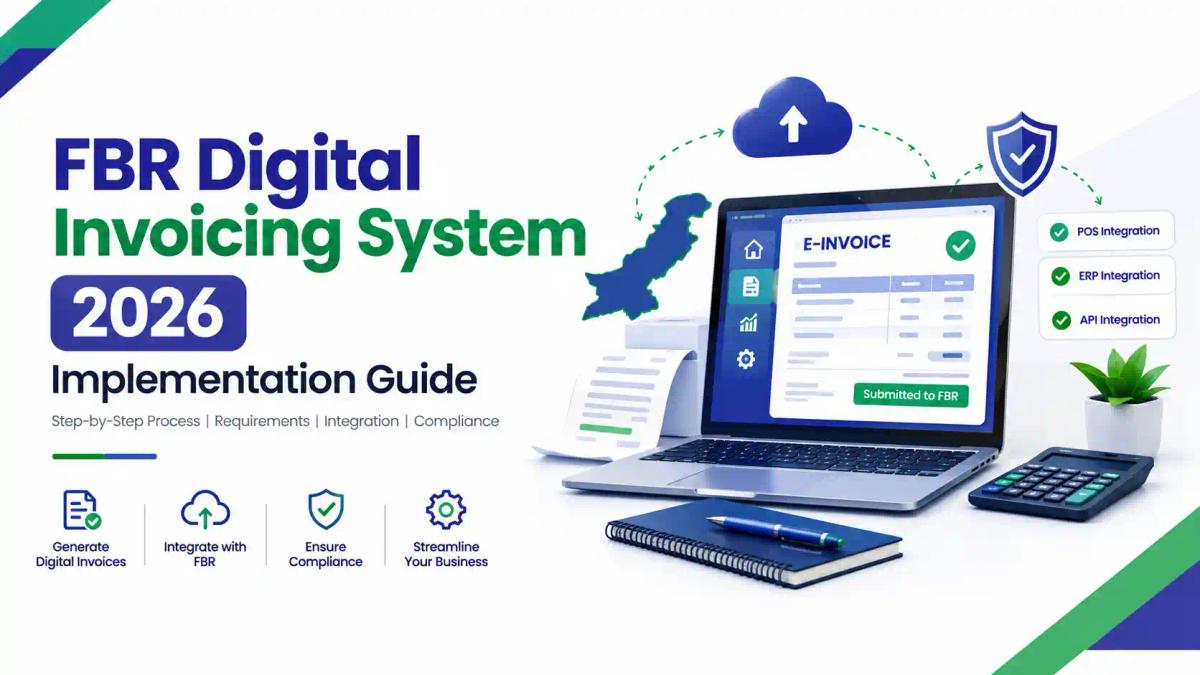
FBR Digital Invoicing System 2026: Implementation Guide
Introduction
Pakistan’s sales tax system is moving from monthly summaries to invoice-level reporting. For businesses notified by the Federal Board of Revenue (FBR), a taxable sale now has to pass through FBR’s computerised system before the buyer receives the invoice. This is part of the wider digital transformation at FBR.
This matters because the consequences of getting it wrong are practical, not just technical. They include penalties, problems with input tax, and, according to recent press reports, suspension of sales tax registration. Many owners and accountants are still unsure which route to choose, how testing works, and what to do when an invoice fails.
This guide explains the system in plain language, then walks through the legal basis, the implementation steps, integrator selection, costs, corrections and troubleshooting. If you want a shorter overview first, read our earlier FBR digital invoicing summary.
Quick Answer: What Is the FBR Digital Invoicing System?
FBR digital invoicing is Pakistan’s real-time e-invoicing system for sales tax. Registered persons notified by the Federal Board of Revenue must connect their POS, ERP or accounting software to FBR through PRAL or another licensed integrator, test in a sandbox, then issue invoices carrying an FBR invoice number and QR code.
- It applies to sales tax registered persons notified by FBR, not to every business automatically.
- PRAL provides integration free of cost; other licensed integrators may charge.
- Testing in a sandbox comes before live (production) invoicing.
- A valid invoice can be edited or cancelled within 72 hours for a genuine mistake.
- Non-integration can lead to penalties under section 33 of the Sales Tax Act, 1990.
What Is FBR Digital Invoicing?
It is a system in which your sales tax invoice data is sent electronically to FBR’s computerised system at the time of sale. FBR validates the data and returns a unique invoice number. Your software then prints or shares the invoice with that number, a QR code and the FBR digital invoicing logo.
How does the process work in practice?
Take a distributor selling goods to a registered customer. The process runs in this order:
- The sales team raises the invoice in the ERP or accounting software.
- The software sends the invoice data through the integration (PRAL or a licensed integrator).
- FBR’s platform validates the data and returns a response.
- If it is accepted, the software prints the invoice with the FBR invoice number and QR code.
The invoice is not complete until step 3 succeeds. That is what separates it from an ordinary computer-generated invoice. For background on the tax itself, see what sales tax is in Pakistan.
Is an electronic invoice the same as a scanned or PDF invoice?
No. A PDF is only a picture of a document. A compliant electronic sales tax invoice is structured data that FBR has received and validated, so a PDF cannot replace it. Our guide to e-invoicing in Pakistan covers this distinction further.
What Are the Benefits of Digital Invoicing for Pakistani Businesses?
The main benefit is that your invoice data is validated by FBR at the time of sale, so many errors are caught before the invoice reaches the customer. The system also creates a consistent record that is easier to reconcile later.
In practice, businesses often gain in these areas (these are practical observations, not official FBR claims):
- Cleaner records: invoice data follows one structure, which reduces re-keying between billing and tax returns.
- Better audit readiness: each invoice has a reference number, so your team can trace a sale quickly. See our guides on tax audits in Pakistan and how e-invoicing supports compliance.
- Customer confidence: buyers can see that the invoice has passed through FBR’s system.
- Less manual work over time: once the integration is stable, staff spend less time correcting data.
For a wider view of how this fits into compliance, read our digital invoicing and tax compliance guide and our overview of the Pakistan tax system in 2026.
Who Must Integrate with FBR Digital Invoicing in 2026?
Integration is mandatory for registered persons notified by FBR. According to FBR’s published FAQs, such persons must integrate their POS, ERP or other invoicing system through a licensed integrator holding a valid FBR licence. The same FAQs define a “licensed integrator” by reference to section 2(15A) of the Sales Tax Act, 1990.
The obligation therefore depends on notification, not on whether you are a retailer, manufacturer, wholesaler or importer. Those businesses should check their own status rather than assume.
How can you check whether your business is covered?
Start with your IRIS account and any FBR communication addressed to your registration. Our guides to IRIS registration and IRIS 2.0 features and login will help if you have not used the portal recently. Companies setting up from scratch can follow the complete IRIS registration guide for companies.
It also helps to understand the difference between ATL, NTN and STRN, because your registration numbers appear on every invoice. Your Active Taxpayer List status is a separate matter from integration.
What about service providers and the income tax side?
The picture is still developing, so check FBR before relying on any summary. SRO 288(I)/2026, dated 18 February 2026, deals with online integration under the Income Tax Rules. Sources differ on whether it is a draft or final, so confirm its status on FBR’s website.
A regulatory tracker also reports that SROs 1666(I)/2026 and 1667(I)/2026, dated 29 September 2026, apply the same electronic invoicing rules to federal excise duty and Islamabad services tax. Treat this as something to verify, not as settled advice.
What Is PRAL and What Does a Licensed Integrator Do?
Pakistan Revenue Automation Limited (PRAL) is the entity FBR’s rules designate as a licensed integrator, and it provides integration services free of cost on demand. A licensed integrator is any person licensed by FBR to provide an electronic invoicing system for integrating registered persons, as defined in section 2(15A) of the Sales Tax Act, 1990.
Think of the integrator as the bridge between your software and FBR. It does not replace your accounting system. Its job is to connect your system securely to FBR’s platform so invoices can be validated and returned with an FBR number.
If you are still setting up your tax profile, our guides to IRIS registration and filer status explain the foundation you need before integration.
What Are the Latest Legal Requirements and Deadlines?
The legal basis is Chapter XIV of the Sales Tax Rules, 2006, which was substituted by SRO 69(I)/2025. It covers licensing of integrators, electronic invoices and the integration of registered persons. Later notifications set the dates.
| Date | Instrument | What it did |
|---|---|---|
| 29 Jan 2025 | SRO 69(I)/2025 | Substituted Chapter XIV of the Sales Tax Rules, 2006 |
| 22 Apr 2025 | SRO 709(I)/2025 | Reported as requiring notified corporate and non-corporate registered persons to integrate |
| 1 Aug 2025 | SRO 1413(I)/2025 | Earlier integration notification, later replaced by SRO 1852(I)/2025 |
| 24 Sep 2025 | SRO 1852(I)/2025 | Set phased dates for registration, testing and electronic invoicing |
| 30 Mar 2026 | Sales Tax General Order 01 of 2026 | Set the 72-hour correction window; reported to allow more than one integrator |
| Sep 2026 | Press reports | FBR reported to have begun suspending registrations of non-integrated businesses |
On the phased dates, Dawn reported that SRO 1852(I)/2025 moved the deadlines to staggered dates running from 15 October to 31 December 2025. For companies with turnover above Rs1 billion in the last twelve months’ returns, registration was due by 15 October, testing by 25 October and electronic invoices from 1 November.
Those windows have now closed. If you are notified and not yet integrated, you should treat yourself as overdue and act now.
Two cautions on reading this table:
- Rules, SROs and general orders are the official requirements.
- Anything about implementation speed, vendor choice or workflow is a practical recommendation, not a legal rule.
Always confirm the latest position with FBR, because notifications change. A Pakistan tax calendar is also useful for tracking other deadlines.
What Must an Electronic Sales Tax Invoice Contain?
Under Chapter XIV, the particulars include the following:
- A unique FBR invoice number in the format XXXXXX-DDMMYYHHMMSS-0001
- A verifiable QR code of 7 × 7 mm
- The registration number of the invoicing or point-of-sale software
- The FBR digital invoicing logo
- The seller’s name, address and registration number, and the recipient’s name
- The amount of sales tax, sales tax withheld at source, extra tax and further tax
- Federal excise duty payable in sales tax mode and the total discount
- An invoice reference number, HS code and unit of measurement
The rules also require the system to create a digital signature, transmit data through secure means, and preserve the reported data securely. Because many of these fields interact with withholding tax, your accountants and software team should agree on how each field is populated.
What Documents and Technical Preparation Do You Need?
Most failed integrations come from poor preparation, not from the connection itself. Before applying, gather the following:
- Active IRIS access and your NTN and STRN (see our NTN registration guide if anything is missing)
- Confirmation that FBR has notified your registration for integration
- A list of every system that issues sales invoices (POS, ERP, accounting software, spreadsheets)
- A named technical contact and the details of your ERP or invoicing software
- The IP addresses your system will use, since the integration process asks for IP details
- Clean master data: HS codes, units of measurement, tax rates, province codes and buyer registration details
Here is an example of why clean data matters. A distributor whose item list has no HS codes will see invoices fail validation, however good the connection is. FBR’s API documentation includes reference data for items, HS codes with units, rates and provinces, so use it to check your own lists.
How to Implement FBR Digital Invoicing Step by Step
- Confirm your status. Check that your registration is notified and active in IRIS.
- Map your systems. List each place an invoice can be created. A forgotten branch or spreadsheet is a common gap.
- Clean your data. Fix item codes, units, rates and customer registration numbers.
- Choose your route. Decide between PRAL and another licensed integrator (see the next section).
- Apply through the portal. FBR’s user manual shows two modes, API Integration and Manual Invoice Generation. Most businesses with regular volumes need the API route.
- Test in the sandbox. Run the test scenarios relevant to your business activity until every one passes.
- Go live. Switch to production credentials and issue a few real invoices under close watch.
- Train and monitor. Teach billing staff what to do on a rejection, and review submissions daily at first.
Teams that want structured training can look at our IRIS training in Islamabad and sales tax training for accountants.
What does a typical ERP-to-FBR workflow look like?
The example below is illustrative, not a real case study. It shows how a mid-sized manufacturer might approach the project.
- Finance confirms registration status and gathers the system list.
- IT exports the item master and customer list for review.
- The accounting team corrects HS codes, units and buyer details.
- The company applies through the portal and selects its route.
- IT and the integrator run sandbox scenarios; finance reviews each result.
- A short “go-live checklist” is signed off by finance and IT.
- For the first weeks, one named person checks rejected invoices every day.
- At month-end, finance reconciles the ERP report against accepted invoices before filing the return.
Readiness checklist for a manufacturing business
- Item master reviewed and signed off
- Customer registration data validated
- Sandbox scenarios completed for each product category
- Production credentials secured
- Rejection and outage procedures written
- Billing staff trained
How Do You Choose a Licensed Integrator?
Check FBR’s live list of licensed integrators and confirm the licence before signing anything. In April 2025, Dawn and Profit reported PRAL, Haball, EY and WebDNA works as approved integrators. Because the list can change, do not rely on any static article, including this one.
PRAL or a private integrator: how do they compare?
| Route | Cost | Best suited to | Points to check |
|---|---|---|---|
| PRAL | Free of cost, including sandbox testing | Businesses wanting the no-fee route and able to manage their own technical work | Support response times; your own development capacity |
| Private licensed integrator | May charge a fee | Businesses wanting managed configuration, ERP connectors or ongoing support | Licence status, pricing, service levels, data security |
| Manual Invoice Generation mode | Confirm with FBR | Very low volumes | Whether it fits your volume and category; confirm before relying on it |
A fee-charging provider is not automatically better, and a free route is not automatically harder. The right choice depends on your software, volumes and in-house skills.
What should you ask a licensed integrator?
- Is your FBR licence current, and where can I verify it?
- Does your solution connect to my exact ERP or POS version?
- Who handles sandbox testing, and who fixes rejected invoices?
- What happens during an outage on your side or FBR’s?
- How is invoice data stored and protected?
- What are the support hours and escalation steps?
FBR’s March 2026 general order is reported to allow a registered person to engage one or more licensed integrators where needed. That can help businesses with several branches or systems.

How do you evaluate an integrator’s support and service?
Compare providers on the same criteria:
| Criterion | What to look for |
|---|---|
| Licence | Listed on FBR’s current list of licensed integrators |
| Compatibility | Experience with your ERP, POS or accounting software |
| Support | Clear hours, escalation route and response times in writing |
| Testing help | Who runs sandbox scenarios and who fixes failures |
| Security | How credentials and invoice data are stored |
| Pricing | What is included, and what costs extra |
| Exit | How you can move to another provider without losing records |
Ask for these answers in writing before you sign.
How Do ERP, POS and API Integration Work?
What does API integration involve?
Your software sends a structured data payload to FBR through the integration. According to PRAL’s technical documentation (version 1.12), the main methods are Post and Validate. The same web addresses serve sandbox and production, and routing depends on the security token used. Developers should always work from the current official documentation, because versions change.
Can an existing ERP or accounting system be used?
Usually yes, if it can produce the required data and talk to your chosen integrator. Odoo users can see our Odoo accounting guide and the Odoo ERP automation course. Those on QuickBooks may find our QuickBooks course overview useful. For a wider view, see our AI accounting software comparison and the software tax professionals use.
How is POS integration different?
A POS system sits at the counter, so the QR code and invoice number must print on the receipt at the moment of sale. The rules also allow FBR to require integration with card machines, QR payments and other digital payment modes. Earlier, FBR’s drive focused on Tier-1 retailers’ POS integration; the current framework applies across POS, ERP and other invoicing systems.
How Do the Main Invoicing Options Compare?
| Comparison | Key difference | Practical point |
|---|---|---|
| Digital invoicing vs traditional invoicing | A digital invoice is validated by FBR and carries an FBR number and QR code; a traditional invoice is not | Traditional invoicing alone does not meet the requirement for notified persons |
| Digital invoicing vs POS integration | POS integration is one way to connect a counter system; digital invoicing is the wider framework covering POS, ERP and other systems | Retail counters usually need POS integration within the framework |
| ERP integration vs standalone invoicing software | ERP integration reuses your existing data; standalone software is a separate tool | ERP suits larger or multi-branch businesses; standalone may suit simpler operations |
| Cloud vs on-premises software | Cloud software is hosted by the provider; on-premises runs on your own servers | Check data security, internet reliability and support in either case |
| Manual billing vs integrated invoicing | Integrated invoicing sends data automatically; manual billing relies on re-entry | Re-entry increases the chance of mismatches |
These comparisons are practical guidance, not legal rules. Choose based on your volumes, systems and in-house skills. Our accounting software comparison and list of AI tools for accountants may help you shortlist options, and our guide to AI for bookkeeping shows where automation helps and where review is still needed.
How Does Digital Invoicing Apply to Different Business Types?
Obligations depend on notification, not business type. The practical challenges, however, differ by sector. The points below are suggestions, not official requirements.
Retailers
Your biggest issue is speed at the counter. Test printing of the QR code and invoice number on every receipt format, and confirm how staff handle a slow connection.
Manufacturers
Product masters are large and complex. Review HS codes, units of measurement and tax rates for every finished good before testing. A readiness review by finance and IT together saves rework.
Wholesalers and distributors
Customer data quality is the main risk. Validate buyer registration details before billing, and review how discounts and further tax are handled. Our guide to advance tax will help your team understand related charges.
Importers and exporters
Your invoices sit alongside customs and trade documents. Read our guide to import and export tax rules, and consider the Master Import and Export course if your team needs a wider trade-compliance grounding.
Small and medium-sized enterprises
Start with the free PRAL route if your systems and skills allow it, and move to a private integrator only if you need managed support. Our overview of business tax in Pakistan is a useful companion.
How Do Testing, Validation and Production Activation Work?
What is the difference between registration, testing and production activation?
| Stage | What happens | What it is not |
|---|---|---|
| Registration | You apply through FBR’s digital invoicing portal and choose your route (PRAL or another licensed integrator) | It does not mean you are issuing live invoices |
| Testing (sandbox) | You send test invoices and fix validation problems | Test invoices have no real tax effect |
| Production activation | You switch to live credentials and issue real FBR-validated invoices | It is not a reason to stop monitoring |
Many businesses lose time by treating registration as the finish line. It is only the first of three stages.
What happens in the sandbox?
The sandbox is a safe test environment. You send test invoices, see how FBR validates them, and fix errors before any real sale is affected. Scenarios depend on your business activity, so make sure you run the ones that apply to you.
How do you know you are ready to go live?
- All applicable sandbox scenarios pass without unexplained errors.
- Production credentials are stored securely and tested.
- Staff know what to do when an invoice is rejected.
- Printed invoices show the FBR number, QR code and logo clearly.
- Someone owns daily monitoring for the first weeks.
One practical warning: never confuse a sandbox reference number with a real one. Make the environment visible on screen.
How Much Does FBR Digital Invoicing Cost?
FBR’s FAQs say neither the registered person nor the licensed integrator pays any fee to FBR. PRAL provides integration free of cost, while other integrators may charge for configuration and integration, according to FBR’s user manual. I could not verify any official price list, so none is quoted here.
Your real cost often sits inside your business: staff time, data clean-up, software changes and training. These are practical considerations, not legal requirements, so budget for them early.
How Can You Correct or Cancel an Electronic Invoice?
Under Sales Tax General Order No. 01 of 2026, an integrated person may cancel, delete or edit a valid electronic invoice generated due to a bona fide mistake through FBR’s system within 72 hours. After 72 hours, any such change needs prior approval from the concerned Commissioner Inland Revenue.
In practice:
- Review invoices the same day, not at month-end.
- Put a check before submission, because the window is short.
- Record the reason for every correction for audit purposes.
What Happens If You Do Not Integrate?
Under Chapter XIV, a person who contravenes its provisions is subject to penalty under section 33 of the Sales Tax Act, 1990, and to any other restriction under the Act or rules. Check the current Act for exact amounts, because summaries online differ.
Press reports from 24–25 September 2026 say FBR has begun suspending the sales tax registrations of corporate and non-corporate taxpayers who did not integrate. Tax experts quoted in those reports questioned whether suspension should be used this way, and warned that it can affect customers’ ability to claim input tax. These are reports and expert opinion, not settled law.
If you are overdue, take these steps:
- Confirm your registration status in IRIS.
- Start integration immediately through PRAL or a licensed integrator.
- Keep a written record of your application and testing dates.
- Respond promptly to any notice (see our guide to FBR notices).
- Take professional advice if your registration has been suspended.
What Are the Common Problems and How Can You Fix Them?
The causes below are typical patterns, not official error codes. Check the exact message against the error codes in PRAL’s current technical document.
| Problem | Likely cause | Practical fix |
|---|---|---|
| Invoice fails validation | Wrong HS code, unit, rate or province | Compare master data with FBR reference data |
| Connection refused | IP details not registered | Confirm the IP details given during application |
| Works in sandbox, fails live | Wrong or missing production token | Check credentials and environment setting |
| Intermittent timeouts | Network or service interruption | Retry, log it, and report as the rules require |
| Wrong buyer details | Missing or invalid registration number | Validate customer data before invoicing |
| Mistake found late | 72-hour window passed | Seek Commissioner approval as required |
Under the rules, an operational failure, damage, disruption or tampering must be reported within twenty-four hours, and inoperative hardware or software must be reported within twenty-four hours with reasons. Write an outage procedure now, not during the first outage. Our list of common tax mistakes by Pakistani businesses and the IRIS login problem fixes may also help.
What should you do during a connectivity or API failure?
Temporary failures will happen, whether on your side, your integrator’s side or FBR’s. Prepare for them now:
- Log everything. Record the time, error message and affected invoices.
- Report as the rules require. The rules require operational failures and inoperative systems to be reported within twenty-four hours.
- Ask before improvising. Confirm with your integrator and tax adviser what FBR permits during an outage. Do not invent your own workaround.
- Test recovery. Check that queued or retried invoices are not duplicated.
- Review afterwards. Add the incident to your compliance file with the cause and the fix.
A written continuity plan is a practical recommendation, but it protects you if an officer later asks about a gap in your invoice sequence. See our guide to replying to FBR notices for how to respond if questions arise.
How Do You Stay Compliant After Go-Live?
How should you reconcile invoices with returns?
Each month, compare your ERP sales totals with the invoices accepted by FBR, then with the sales figures in your return. Investigate differences before filing. Our guide to filing sales tax returns explains the return process, and sales tax vs income tax clears up a common confusion.
How do you keep an audit trail for digital invoices?
An audit trail lets you show who created, changed or cancelled an invoice, and when. Practical controls include:
- Restricted user rights for creating and editing invoices
- A log of every correction, with the reason and the approver
- Locked periods once returns are filed
- Regular backups of invoice data and FBR responses
- A monthly sample check of invoices against source documents
These steps reflect good control practice, not a specific FBR rule. They are especially useful given the 72-hour correction window. Our articles on AI audit tools and digital tax audits explain where audits are heading, and our guide on AI tax calculation and legal risk is worth reading if you use automated tools. If you file withholding statements, see also our section 165 guide.
How long should records be kept?
Sources commonly cite six years under the Sales Tax Act, 1990. Confirm this with your adviser for your situation. Keep the invoice data, FBR responses, correction logs and integration records together, so you can answer an audit quickly. See our guides on FBR audit notices and sales tax audit preparation.
How do you keep up with changes?
Check FBR’s notifications regularly, and compare the old and new text whenever an SRO or general order changes. Differences between the old and new IRIS portals can also affect your workflow; our eFBR vs IRIS comparison explains them.
FBR Digital Invoicing Compliance Checklist
- Registration is active and notified for integration
- Integration route chosen and licence verified
- Application submitted and sandbox testing completed
- Production activated and first invoices checked
- QR code, FBR number and logo print correctly
- Master data (HS codes, units, rates) reviewed
- 72-hour correction process documented
- Outage and 24-hour reporting procedure written
- Monthly reconciliation with sales tax returns
- Records retained and accessible for audit
- Staff trained and responsibilities assigned
Digital Invoicing Glossary
- Licensed integrator: a person licensed by FBR to connect registered persons to the electronic invoicing system.
- PRAL: Pakistan Revenue Automation Limited, designated as a licensed integrator that provides free integration on demand.
- Sandbox: a test environment where invoices have no real tax effect.
- Production: the live environment where real invoices are reported.
- FBR invoice number: the unique number FBR’s system returns for an accepted invoice.
- QR code: the scannable code printed on the invoice, 7 × 7 mm under the rules.
- STRN / NTN: your sales tax registration number and National Tax Number. See our ATL, NTN and STRN guide.
- STGO: Sales Tax General Order, an FBR direction such as STGO 01 of 2026.
- Integrated person: a registered person required to integrate with FBR’s computerised system.
How Can Accountants and Finance Teams Prepare for Digital Invoicing?
Digital invoicing changes the accountant’s role from checking invoices after the fact to controlling data before it is sent. A practical onboarding checklist for an accounting team:
- Learn the legal framework (Chapter XIV, the SROs and the general orders)
- Understand IRIS, notifications and registration status
- Own the master data: HS codes, rates, units, buyer details
- Set up daily review of rejected invoices
- Build the monthly reconciliation routine
- Keep a compliance file with notifications, test results and correction logs
Skills in this area are increasingly valuable. Our articles on tax professional skills in demand, sales tax jobs and scope, and how to become a tax accountant show how these skills fit a career path. If you already have an accounting background, see tax courses for accounting graduates. For a practitioner-level route, review the tax practitioner course in Islamabad and why a business needs a tax advisor in the AI era.
Why Choose ICT for FBR Digital Invoicing and Sales Tax Training
Digital invoicing connects three skills: sales tax law, IRIS and software workflow. The Institute of Corporate and Taxation (ICT) publishes practical guidance on these areas, and its course catalogue includes the Master Sales Tax and Certified Tax Advisor programmes, an Odoo ERP automation course, and advanced options such as the advanced taxation compliance course.
Accountants and finance teams can use these to build the sales tax and systems knowledge that e-invoicing now demands, and to explore new digital compliance careers. You can learn more about ICT or browse the full course list.
Frequently Asked Questions
Is FBR digital invoicing mandatory?
Yes, for sales tax registered persons notified by FBR. Check your own notification status in IRIS.
Is FBR digital invoicing free?
PRAL provides integration free of cost. Other licensed integrators may charge, and FBR itself charges no fee.
Can I keep my existing billing software?
Often yes, provided it can generate the required data and connect through a licensed integrator. Confirm compatibility before applying.
Where can I find licensed integrators?
On FBR’s list of licensed integrators. Verify the licence there, not from a vendor’s own claim.
What happens if an invoice is rejected?
The invoice does not receive an FBR number. Fix the data error shown in the response and resubmit.
Can I edit or cancel an invoice?
Yes, within 72 hours for a bona fide mistake. After that, the Commissioner’s prior approval is required.
What is the difference between sandbox and production?
The sandbox is for testing and carries no tax effect. Production is live reporting of real sales.
Do I need a separate tax adviser for this?
Not necessarily, but a qualified adviser helps with notifications, notices and penalty questions. This article is general information, not legal advice.
What is the role of PRAL in digital invoicing?
PRAL is designated as a licensed integrator and provides integration services free of cost on demand.
What is a licensed integrator?
It is a person licensed by FBR to provide the electronic invoicing system for integrating registered persons.
What is the difference between digital invoicing and POS integration?
Digital invoicing is the wider framework. POS integration is one way to connect counter systems within it.
Can a small business integrate its invoices with FBR?
Yes. A notified small business can integrate through PRAL or a licensed integrator. Whether you are notified depends on your registration status.
How can I verify an invoice?
The QR code is designed to be verifiable. Reports mention FBR’s Tax Asaan app as a route, so confirm the current method with FBR.
How can I check whether my integration is working?
Check that new invoices are accepted and return an FBR number, and review your invoice dashboard in IRIS regularly. See our IRIS login fixes if you cannot access it.
What penalties apply for non-compliance?
The rules refer to penalties under section 33 of the Sales Tax Act, 1990, plus other restrictions under the Act. Check the current Act for exact amounts.
Should I change integrators later?
You can, but plan the move carefully so invoice records and credentials are handled securely. Written exit terms help.
Conclusion
FBR digital invoicing is now a core part of sales tax compliance for notified businesses. The essentials are simple. Confirm your status, prepare clean data, choose a verified licensed integrator, test fully in the sandbox, go live carefully, and reconcile every month.
The risks of delay are real, and the rules keep evolving, so keep checking FBR’s notifications. If you want to build this skill in your team or career, join the Master Sales Tax course at ICT, review the course fees, or contact ICT to discuss the right programme for you.
Comments (0)
No comments yet. Start the conversation!
Leave a Reply
Your email address will not be published. Required fields are marked *