
NTN Verification Online Pakistan: Complete 2026 Guide
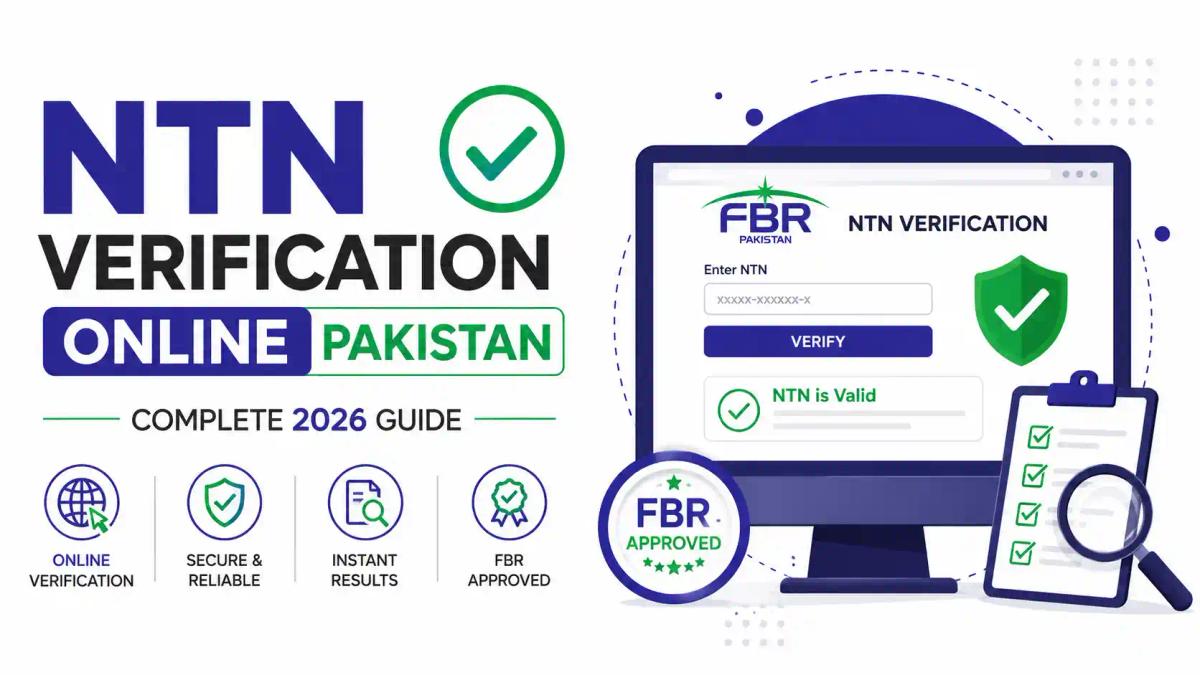
If you've ever typed "how to check my NTN number" into Google late at night, you're not alone. Thousands of Pakistanis — freelancers, salaried employees, shopkeepers, and company owners — search for NTN verification online every single day, and most give up halfway because the FBR portal feels confusing. At ICT (Institute of Corporate & Taxation), we work with students and professionals every day who need to verify NTN online, register as filers, or simply understand what an active taxpayer status actually means. This guide walks you through the entire NTN verification process step by step, in plain language, so you never have to guess again. Along the way, we'll also point you toward practical resources — including our Certified Tax Advisor (CTA) course and our detailed blog on how to become a filer in Pakistan — in case you want to go beyond just checking your number and actually build a career around it. Whether you're an individual trying to confirm your taxpayer status, a business owner verifying a vendor's NTN before signing a contract, or a student exploring taxation courses in Pakistan, this article covers everything: what NTN verification is, why it matters, how to do it online through FBR's IRIS portal, common mistakes people make, and where the career opportunities in this field are heading in 2026.
What Is NTN Verification Online?
NTN stands for National Tax Number, a unique identification number issued by the Federal Board of Revenue (FBR) to every registered taxpayer in Pakistan — whether that's an individual, a partnership, or a company. NTN verification online is simply the process of confirming that a person or business is officially registered with FBR and checking whether their taxpayer status is active.
In short: NTN verification tells you whether a tax number is genuine, whether the holder is on the Active Taxpayer List (ATL), and whether their registration details (name, CNIC, business type) match FBR's records. It's completely free and can be done in under two minutes through the FBR IRIS portal — no visit to a tax office required.
Quick fact check: Your CNIC number automatically functions as your NTN once you register as an individual taxpayer, so most people don't even need a separate NTN certificate — they just need to verify it online.
Why NTN Verification Is Important — Especially in Pakistan
Pakistan's tax culture has changed significantly over the last few years. With FBR pushing digital compliance and stricter penalties for non-filers, NTN verification isn't just a formality anymore — it's a practical necessity.
Here's why it matters:
- Banking requirements: Banks routinely ask for NTN verification before opening business accounts or approving large transactions.
- Government contracts and tenders: Companies bidding for government or corporate tenders must prove active taxpayer status.
- Avoiding higher withholding tax: Non-filers pay significantly higher withholding tax on banking transactions, vehicle registration, and property purchases compared to filers on the ATL. Our blog on non-filer penalties in 2026 breaks this down in detail.
- Business credibility: Verifying a vendor's or supplier's NTN before signing a deal protects you from fraud.
- Freelance and remote work: International clients and platforms increasingly ask Pakistani freelancers to prove tax registration, especially for larger invoices.
- Legal compliance: Under the Income Tax Ordinance 2001, maintaining an active, verifiable taxpayer profile is a legal obligation for anyone earning above the taxable threshold.
According to the Federal Board of Revenue, the government has been steadily expanding digital verification systems to widen the tax net and reduce manual processing — a trend confirmed by international bodies like the World Bank, which have highlighted digital tax administration as a key reform priority for Pakistan.
Step-by-Step Guide: How to Verify NTN Online in Pakistan
Method 1: NTN Verification via FBR IRIS Portal
The IRIS portal is FBR's official online system for taxpayer services, and it's the most reliable way to check NTN status.
- Visit the official FBR IRIS website.
- On the homepage, look for "Taxpayer Profile Inquiry" — no login is required for basic verification.
- Select the parameter you want to search by: CNIC, NTN, or Registration Number.
- Enter the relevant number along with the captcha code shown on screen.
- Click Submit, and your taxpayer profile — including name, registration type, and status — will appear instantly.
If you're new to the portal, our step-by-step FBR IRIS login guide for 2026 walks through the full login and navigation process with screenshots, and our guide on what the FBR IRIS portal is and how to use it is a good companion read for beginners.
Method 2: Verify NTN by CNIC (Individuals)
Since your CNIC doubles as your NTN once you're registered, this is the fastest method for salaried individuals and freelancers:
- Go to the FBR "Taxpayer Profile Inquiry" section on IRIS.
- Choose "CNIC" as the search parameter.
- Enter your 13-digit CNIC number without dashes.
- Enter the captcha and hit submit.
- Your active/inactive taxpayer status, registration date, and NTN will display on screen.
Method 3: NTN Verification via SMS
FBR also offers an SMS-based verification option for basic checks:
- Open your messaging app.
- Type ATL (space) your 13-digit CNIC number.
- Send it to 9966.
- You'll receive a reply confirming whether you're on the Active Taxpayer List.
This method is especially useful in areas with slow internet or for a quick status check on the go.
Documents Required for NTN Verification
Good news — verification itself needs no physical documents since it's a lookup process. However, if you're verifying because you plan to register or update your NTN afterward, keep these ready:
- Valid CNIC (original and copy)
- Active mobile number registered in your name
- Personal email address
- Proof of income source (salary slip, business registration, or bank statement)
- For companies: SECP incorporation certificate and partnership/authorization documents

NTN Verification by CNIC — Detailed Walkthrough
Let's slow down and go through the CNIC method in more detail since it's what most individuals search for.
- Open the FBR portal in any browser (works on mobile too).
- Locate "Search Taxpayer" or "Online Verification" — FBR occasionally reshuffles menu names, so look for anything mentioning "Taxpayer Profile Inquiry."
- Select "CNIC" from the dropdown (not NTN, not passport number).
- Type your CNIC carefully — a single wrong digit returns a "not found" error, which is the most common mistake people make.
- Solve the captcha exactly as shown (case-sensitive in most versions).
- Submit and review — you'll see your name, registration date, taxpayer type (Individual/AOP/Company), and current status.
If your record shows "Inactive," it usually means you either haven't filed your latest income tax return or there's a compliance gap. Filing the missing return and paying any applicable surcharge typically restores active status within a few days. Our blog on tax filer status in Pakistan explains exactly what triggers inactive status and how to fix it.
NTN vs ATL vs STRN — What's the Difference?
People frequently confuse these three terms, so here's a simple breakdown:
| Term | Full Form | Purpose |
|---|---|---|
| NTN | National Tax Number | Unique ID for income tax registration |
| ATL | Active Taxpayer List | Confirms whether a registered NTN holder has filed returns and is "active" |
| STRN | Sales Tax Registration Number | Required for businesses dealing in taxable goods/services, separate from income tax NTN |
Having an NTN doesn't automatically mean you're on the ATL — you must file your annual return to stay active. And having an NTN doesn't mean you have an STRN; that's a separate registration entirely, covered in depth in our guide to Master Sales Tax course and our blog explaining the difference between ATL, NTN, STRN, and SECP registration.
Common NTN Verification Errors and How to Fix Them
Even a simple process trips people up sometimes. Here are the most frequent issues:
- "Record Not Found" error: Usually caused by a typo in the CNIC or NTN number, or dashes typed where they shouldn't be.
- Captcha keeps failing: Clear your browser cache or try a different browser; IRIS captchas are sensitive to autofill extensions.
- Status shows Inactive despite filing: FBR's ATL updates weekly (usually every Sunday), so recent filings may take a few days to reflect.
- Company NTN not verifying under CNIC search: Companies and AOPs must be searched using their Registration Number, not an individual CNIC.
- Portal timing out: IRIS experiences heavy traffic close to tax deadlines — try early morning or late evening.
For a deeper technical breakdown, our article on the FBR IRIS 2.0 survival guide for 2026 covers portal-specific glitches and their fixes.
NTN Verification for Businesses, Freelancers, and Startups
For Companies: Businesses must verify NTN using their registration or incorporation number rather than a CNIC. This is essential before signing vendor contracts, applying for bank loans, or bidding on tenders. If you're starting a company, our Company Secretary Course and blog on registering a business NTN in Pakistan are excellent starting points.
For Freelancers: With Pakistan's freelance economy growing rapidly, more freelancers are registering for NTN to access lower withholding tax rates and build credibility with international clients. Check out our guide on freelancer tax rules in Pakistan for 2026 if this applies to you.
For Startups and SMEs: New businesses often confuse NTN registration with sales tax or SECP registration. Our blog on company registration and compliance in Pakistan 2026 clarifies the full sequence — from SECP incorporation to FBR registration to NTN verification.
Job Scope, Salary, and Demand: Careers Built Around Tax Compliance
Here's something most people don't realize: understanding NTN verification, FBR compliance, and taxpayer systems is a genuine career skill — not just a personal errand.
Key skills employers look for:
- FBR IRIS navigation and filing
- Income tax return preparation
- Sales tax and NTN registration handling
- Client advisory on filer/non-filer status
- Familiarity with Income Tax Ordinance 2001 provisions
Demand and salary trends: Tax consultants and compliance officers in Pakistan are in growing demand as FBR tightens digital enforcement. Entry-level tax associates typically start with modest salaries, but certified tax advisors with client portfolios or firm positions can earn significantly more, especially those who branch into international taxation. Our detailed breakdown in tax advisor salary and scope in Pakistan 2026 covers real numbers across experience levels.
Where the jobs are:
- Chartered accountancy and tax advisory firms
- Corporate finance and compliance departments
- Freelance/remote tax consulting for overseas clients
- Government and semi-government revenue departments
- Independent practice after certification
Why Choose ICT to Build These Skills
Reading about NTN verification is useful, but building real expertise around Pakistan's tax system — and international systems too — is what turns this knowledge into income. This is exactly why choose ICT makes sense for students and professionals serious about a career in taxation.
At ICT, you can learn through structured, practical courses including:
- Certified Tax Advisor (CTA) — a complete foundation in Pakistani taxation and FBR compliance
- Advance Taxation and Litigation (ATL) — for handling audits, notices, and disputes
- UK Taxation Course, USA Taxation Course, UAE Taxation Course, Saudi Taxation Course, and Canadian Taxation Course — for those aiming at international tax consulting
- Master Sales Tax — for specialized sales tax registration and compliance work
- Certified Business Advisor and Company Secretary Course — for corporate compliance careers
For free resources, our blog section is regularly updated with practical, step-by-step guides on FBR processes, filing deadlines, and tax planning — a great starting point before committing to a paid course.
Real-World Examples
Example 1: A small trader in Lahore was rejected for a bank loan because his NTN showed "Inactive" status. After verifying online, he discovered he'd missed filing his previous year's return. He filed it, waited for the weekly ATL update, and was approved for the loan within two weeks.
Example 2: A freelance graphic designer working with European clients needed to prove tax registration to reduce a client's compliance concerns. A two-minute CNIC-based NTN verification gave her the confirmation printout she needed.
Example 3: An SME importing raw materials verified its supplier's NTN before advance payment, avoiding a fraudulent vendor whose registration number didn't match FBR records at all.
These aren't rare situations — they happen daily across Pakistan's business community, which is exactly why understanding taxpayer verification is a practical life skill, not just an FBR technicality.
Future Career Opportunities in Taxation and Digital Compliance
Pakistan's tax administration is shifting toward automation, e-invoicing, and AI-assisted compliance monitoring. This creates fresh career openings for people who combine tax knowledge with digital skills:
- AI-assisted tax advisory: Professionals who understand both taxation and automation tools are increasingly valuable — explore our Certified AI Automation course if this interests you.
- Data-driven compliance roles: Skills from our Certified Data Analyst and Master Advanced Excel courses are becoming essential for tax firms managing large client portfolios.
- Cross-border tax consulting: With more Pakistani freelancers earning internationally, expertise in UK, US, and UAE taxation is opening remote consulting opportunities.
- Corporate advisory and ERP integration: Businesses adopting systems like Odoo for financial management need consultants trained in both compliance and software — our Odoo ERP Course covers this intersection.
For a broader view of where this is heading, our article on taxation and AI's impact on tax consultants in 2026 is worth reading.
Frequently Asked Questions
What is NTN verification?
NTN verification is the process of confirming a taxpayer's National Tax Number and checking their active/inactive status on FBR's system, done free of cost through the IRIS portal.
Is NTN verification free?
Yes, verifying your NTN online through FBR IRIS or via SMS is completely free — there's no fee for basic status checks.
Can I verify my NTN using only my CNIC?
Yes. For individuals, your CNIC functions as your NTN once registered, so entering your CNIC in the "Taxpayer Profile Inquiry" section is enough to verify your status.
How long does NTN verification take?
The online check is instant. However, if your status needs correction (like filing a missed return), it can take a few days for the Active Taxpayer List to update, since it refreshes weekly.
Can businesses verify their NTN online too?
Yes, companies and partnerships can verify their NTN using their SECP or FBR registration number through the same IRIS portal.
What happens if my NTN shows inactive?
An inactive status usually means a pending tax return or unpaid surcharge. Filing the outstanding return typically restores active status once the ATL updates.
Conclusion: Take the Next Step
NTN verification online is one of the simplest yet most important digital services FBR offers Pakistani taxpayers — whether you're checking your own status, verifying a business partner, or making sure your freelance income is properly documented. But if this article has made you curious about going deeper — building a career in tax advisory, compliance, or international taxation — that's exactly what ICT specializes in.
Explore our full range of taxation courses and advanced taxation programs designed for real career outcomes, not just theory. Book a seat at ICT today and turn your understanding of Pakistan's tax system into a skill that pays.
Comments (0)
No comments yet. Start the conversation!
Leave a Reply
Your email address will not be published. Required fields are marked *