
How to Download & Verify FBR CPR Online: Complete Guide 2026
Introduction
You pay your tax through your bank, the money leaves your account, and then comes the awkward question: where is the receipt that proves it? In Pakistan, that receipt is the Computerized Payment Receipt, or CPR. (It has nothing to do with first-aid CPR. In this guide it means the Federal Board of Revenue's tax payment receipt.) Without it, a bank debit is only half the story.
This guide focuses on the receipt itself. It shows you where to find and download your CPR, how to verify it against FBR's records, what to check on it, and what to do when it does not appear. It also covers retrieving older receipts, reconciling CPRs with bank statements, and keeping records safe.
If you still need to create a payment slip, start with our guide to generating a PSID and checking your CPR in IRIS 2.0. If you only want to know whether a slip is paid or expired, see our FBR PSID status check guide. This page picks up after the payment has been made.
Quick Answer
To download an FBR CPR, open the receipt sent by email or SMS after payment, or find the payment in your IRIS account. To verify it, use the Online Verifications section of the FBR IRIS portal and match the CPR details against your bank record. FBR says a CPR is reflected in IRIS within 24 hours of deposit.
Key points
- The CPR, not the PSID or the bank slip, is the official proof that FBR received your payment.
- FBR issues the CPR by email and SMS and keeps it accessible inside IRIS 2.0 (FBR press release, 13 November 2024).
- Verify four details every time: taxpayer, tax year, nature of payment and amount.
- If a CPR is missing, do not pay again. Trace the original payment first.
- Use only official FBR channels. Never enter your IRIS details on look-alike sites.
What Is an FBR CPR?
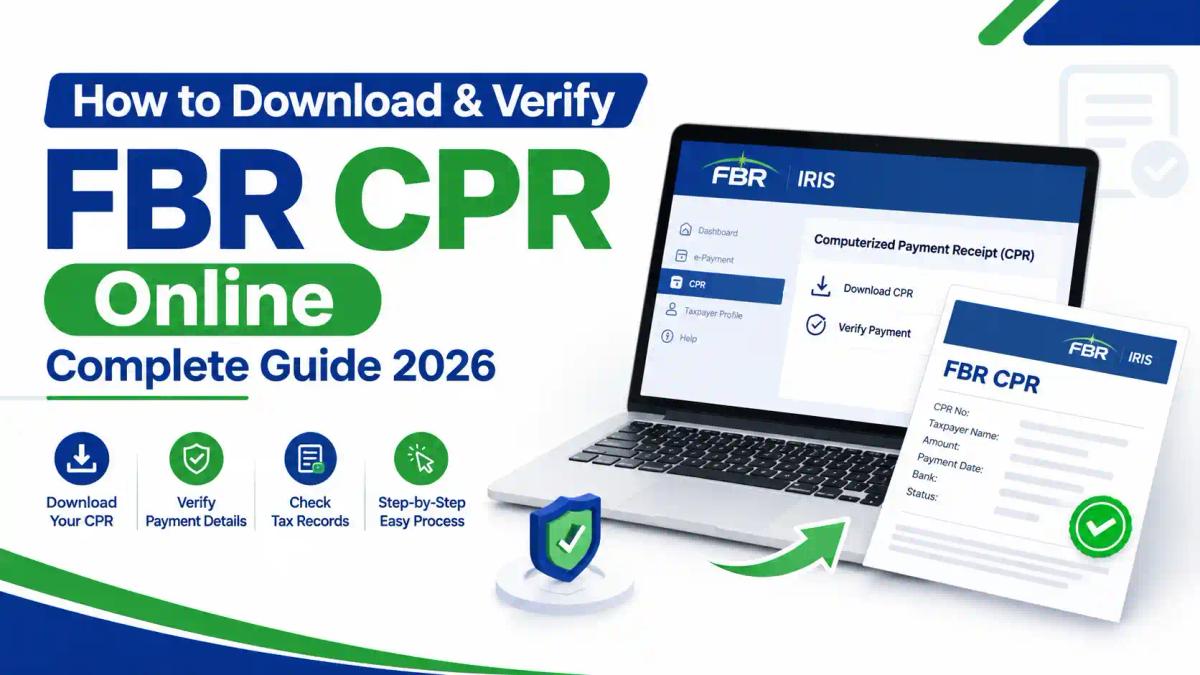
A Computerized Payment Receipt (CPR) is the receipt generated after you pay a tax due. FBR's own guidance says the CPR is generated after payment and is reflected in IRIS within 24 hours of the deposit (FBR: Computerized Payment Receipt).
In practice, the CPR is the end of a short chain. You create a Payment Slip ID (PSID), pay it through your bank, and the CPR confirms the payment has been recorded against your taxpayer account.
What a CPR typically shows
Receipt layouts can change, so check your own copy. In general, a CPR links these elements:
- The CPR number (the receipt reference)
- The PSID it relates to
- The taxpayer's NTN or CNIC
- The amount paid and the nature of payment (for example advance tax or tax with return)
- The tax year or period
- The bank and the payment date
Example CPR field guide (illustration only)
This table is an illustration, not a real receipt. Your receipt’s layout and labels may differ.
| Field | What you will see | What to check |
|---|---|---|
| CPR number | A unique receipt reference | Note it in your ledger |
| PSID | The slip you paid | Same PSID as your bank record |
| Taxpayer name and NTN or CNIC | Your details | Belong to the correct person or entity |
| Nature of payment | For example advance tax or tax with return | Matches your intention |
| Tax year or period | The year or month the payment relates to | Matches the return or liability |
| Amount | The sum recorded | Equals your bank debit |
| Bank and date | Where and when you paid | Matches your bank statement |
Our tax documents guide for tax year 2026 shows where the receipt fits among the papers you gather for filing.
Why the CPR matters
- Return filing. If your return shows tax payable, the payment needs to be linked to it. Our guide to filing an income tax return in 2026 shows where payment details fit.
- Notices and audits. When FBR questions a payment, the CPR is the first document to produce. See how FBR notices work and our FBR tax audit guide.
- Refunds and adjustments. Clean payment records make it far easier to claim credit later. See our IRIS tax refund guide.
CPR vs PSID vs Challan vs Bank Receipt vs Return Acknowledgment
These five documents are often confused. Each proves something different.
| Document | When you get it | What it proves | Use as proof of payment? |
|---|---|---|---|
| PSID (Payment Slip ID) | Before you pay | That a payment request exists | No. It is an instruction to the bank |
| CPR | After the payment is recorded | That the payment was recorded against your account | Yes. This is the official receipt |
| Bank receipt or SMS | Immediately after you pay | That your bank processed a debit | Supporting evidence only |
| Paper challan | Under the older manual process | An older deposit record | Relevant mainly for historic years |
| Return acknowledgment | After you file a return | That a return was submitted | No. It says nothing about payment |
The last row catches many people out. Filing a return and paying tax are separate actions with separate records. Our IRIS 2.0 feature comparison explains where each document sits in the portal.
Before You Start: What You Need
Have these ready before you search for a receipt:
- Your IRIS login (NTN or CNIC and password). If you are locked out, use our IRIS password reset guide or the IRIS login troubleshooting guide.
- The PSID or CPR number, if you have it
- The bank transaction reference and payment date
- The amount, tax year and nature of payment
New to the portal? Read how the FBR IRIS portal works and how to register on IRIS first. The official address is iris.fbr.gov.pk.
How to Download Your FBR CPR Online
There are three reliable routes. Start with the quickest.
Method 1: Use the email or SMS FBR sent you
Under ePayment 2.0, FBR states that a CPR is issued by email and SMS when payment is completed (FBR press release). Search your inbox and messages for the confirmation. Check spam, and check that the email address and mobile number on your IRIS profile are current.
Method 2: Find the payment in your IRIS account
- Log in at iris.fbr.gov.pk.
- Open the payments area of your account and look through your payment history. FBR's ePayment 2.0 includes a PSID search feature for retrieving and confirming payment records.
- Filter by date, status or tax type where the screen allows it.
- Open the paid entry and view or download the CPR.
Menu names can change between portal updates. If a label differs from the above, look for the payment history or payment record view. Our IRIS 2.0 login and features guide shows the current layout.
Method 3: Look it up through Online Verifications
FBR lists an Online Verification Portal under its Inland Revenue online services (FBR online services), and ICT's own guides describe a PSID/CPR verification service there. Enter the reference the screen asks for, complete the captcha, and note the CPR details returned.
FBR does not publish a field-by-field description of this screen, and the options can change. Use whichever parameter type the screen offers.
Saving the CPR as a PDF
Whichever route you use, save a permanent copy straight away:
- Open the CPR on screen.
- Use your browser's Print option and choose Save as PDF, or use the download button if one is shown.
- Name the file clearly, for example
2026_IncomeTax_Advance_CPR-number.pdf. - Store it in a folder for that tax year, and keep a second copy in cloud storage.
Downloading on a mobile phone
IRIS works in a mobile browser, so the same steps apply. FBR also offers the Tax Asaan app (FBR's Tax Asaan page). Which receipt functions the app offers can change between versions, so treat IRIS as your primary source.
News reports on the Tax Asaan app’s launch said it included a check for CPR utilisation status, that is, whether a receipt has already been used against a payment due. App features change between versions, so confirm that the option still exists before relying on it. A used CPR is harder to correct, so check this before applying for a correction.
How to Verify an FBR CPR
Verification answers one question: does FBR's system agree with the receipt in my hand?
Verify your own payment
- Open the Online Verifications section from the IRIS landing page.
- Choose the PSID/CPR verification option.
- Enter the details requested and the captcha.
- Compare the result with your CPR copy and your bank record.
You can also confirm the payment inside your logged-in IRIS account.
Verify a CPR someone else gives you
You may need to check a receipt handed over by a client, an employer, a vendor or a counterparty in a transaction. Do not rely on a PDF or screenshot alone, because documents can be edited. Run the reference through the official verification service yourself, and never click a verification link supplied by the other party. Type the address yourself.
The CPR verification checklist
| Check | What to look for | If it does not match |
|---|---|---|
| Taxpayer | NTN or CNIC and name belong to the right person or entity | Stop. The payment may be credited to the wrong account |
| Tax year or period | Matches the return or liability you meant to settle | Raise it with your adviser before filing |
| Nature of payment | For example advance payment, payment with return, or withholding deposit | Seek correction through your tax office |
| Amount | Equals the intended amount and your bank debit | Investigate before any further payment |
| Date | Matches the bank transaction date | Check for delayed posting |
| PSID | Same PSID that you paid | Confirm you paid the intended slip |
What verification does not prove
A valid CPR proves FBR recorded a payment. It does not prove that your return was filed, that the amount was the right liability, or that the payment was allocated to the right head. Those are separate questions, which is why accountants reconcile every receipt (see below).
How Long Does a CPR Take to Appear?
FBR says the CPR is reflected in IRIS within 24 hours of depositing the payment (FBR). The ePayment 2.0 announcement says the CPR is issued in real time for payments made through automated channels. Both can be true: you may get the email or SMS quickly, while IRIS shows the record within the 24-hour window.
FBR does not publish a table of posting times by payment channel, so plan on the 24-hour reference and allow extra time around busy filing deadlines. Our Pakistan tax calendar 2026 helps you pay with a safety margin.
My CPR Is Missing: What Should I Do?
Do not pay again. A second payment creates a duplicate and does not fix the first. Work through this order.
- Wait and recheck. Give it at least 24 hours from payment, as per FBR's guidance.
- Search email and SMS. Check spam and the contact details on your IRIS profile.
- Check IRIS payment history. Look for the payment under every tax year and head you might have used.
- Use the verification service. Try the PSID you paid.
- Confirm the bank side. Get the transaction reference and confirm the payment completed and went to FBR, not another biller.
- Contact your bank and FBR. Quote the PSID, amount, date and transaction reference. FBR's Knowledge Base is the official support starting point.
- Escalate with documents. If the payment still cannot be traced, a tax professional can prepare the evidence pack and the correspondence.
How to Correct Wrong Details on a CPR
A CPR can be issued with the wrong tax year, payment section or taxpayer details. In that case, do not simply pay again. FBR has an electronic procedure for correcting CPRs of income tax, sales tax and federal excise duty, as reported by Business Recorder.

What can be corrected
According to that report, the scope is limited to three areas:
- Name, address, NTN or CNIC
- Tax year or tax period
- Payment code or payment section
The reported scope does not include changing the amount. If you overpaid, see the next section. That is our interpretation of the report, so confirm it with your adviser.
How the process works
- You submit an online application through IRIS using your own login.
- The application goes to the inbox of the chief commissioner with jurisdiction over your case.
- Before approval, the system checks that the CPR has not already been used against a payment due.
- If the application is rejected, the designated officer must give reasons in writing.
- If the error sits in another jurisdiction, the application is forwarded electronically to the right chief commissioner.
Documents to prepare
Reports of the FBR circular list the following documents. Check the current IRIS screen for the exact requirements.
| Type of error | Documents typically required |
|---|---|
| Wrong tax year, period or payment section | Copy of the CPR and a written explanation |
| Mistake made by a withholding agent | Copy of the CPR, a letter from the withholding agent and an affidavit from the taxpayer on stamp paper |
| Wrong NTN or CNIC | Copy of the CPR and an affidavit from the person in whose name the payment was deposited by mistake |
Practical steps
- Download the CPR and your bank proof.
- Identify exactly which detail is wrong.
- Check whether the CPR has already been used against a payment due. A used CPR is harder to correct.
- Log in to IRIS and find the CPR correction application. Menu names may differ in IRIS 2.0.
- Fill in the application and attach your documents.
- Track the status in IRIS and answer any query from the commissioner’s office.
- Do not file your return on the assumption that the correction is approved.
Errors in the original payment are easier to prevent than to fix. See our guides to generating the PSID correctly and common business tax mistakes. If the wrong NTN is the problem, first verify the NTN online and read how NTN, ATL and STRN differ.
If your correction request is delayed or rejected and a notice follows, read our guide to responding to an FBR notice. Professionals who handle such cases can build the skills in the Advance Taxation and Litigation course.
Common causes and what to do
| Likely cause | What it looks like | Action |
|---|---|---|
| Posting delay | Bank debited, nothing in IRIS yet | Wait for the 24-hour window, then escalate |
| Wrong tax year or head | Payment exists but not where you looked | Search other years and heads; seek correction if misallocated |
| Wrong taxpayer | PSID created for another NTN or CNIC | Do not pay again; contact your tax office with proof |
| Expired or unpaid slip | Slip never completed | Create a new PSID only after confirming the first was not paid |
| Outdated contact details | No email or SMS arrived | Update your IRIS profile, then retrieve from IRIS |
| Paid through a non-official channel | No FBR record at all | Contact the provider and your bank immediately |
Missing payments often surface later as notices. Our guide to responding to an FBR notice explains what to do if one arrives.
Quick decision tree: what do I do now?
- Did your bank payment succeed?
- No: The tax is not paid. Check the PSID status before trying again.
- Yes: Go to step 2.
- Do you have a CPR by email or SMS, or can you see it in IRIS?
- Yes: Go to step 3.
- No: Go to step 4.
- Do the CPR details match your payment?
- Yes: Download it, save it as a PDF and file it by tax year.
- Wrong year, period, payment section or NTN/CNIC: Apply for CPR correction.
- Wrong amount (overpaid): Follow the excess payment route.
- Has 24 hours passed since payment?
- No: Wait. FBR says a CPR is reflected in IRIS within 24 hours.
- Yes: Check spam, IRIS payment history and the PSID/CPR verification service. If still nothing, confirm the bank reference and the biller, then contact your bank and the FBR Knowledge Base.
- Still unresolved? Keep all evidence, do not pay again, and see how FBR notices work if a deadline is close.
What If You Paid Twice or Overpaid?
A duplicate or excess payment is not lost money, but it needs a clear process. Do not make a third payment to “cancel” the second one.
Step 1: Confirm it really is a duplicate
Check that you hold two separate CPRs, with different PSIDs and different bank references. Then compare the tax year, nature of payment and amount on each.
Step 2: Choose the right route
Section 170 of the Income Tax Ordinance, 2001 provides for refund of tax paid in excess of the amount properly chargeable. In practice you have three routes.
| Situation | Likely route |
|---|---|
| The second payment was meant for another tax year or head | Apply for CPR correction (see the previous section) |
| You have a real liability elsewhere | Use the excess against that liability, with your adviser’s confirmation |
| There is no other liability | File the refund application in IRIS |
The Commissioner may first set the excess against other tax due before paying a refund. Our IRIS tax refund guide explains the application and the timeline.
Step 3: Keep the evidence
Keep both CPRs, both bank confirmations, the return or notice concerned and a short written note of what happened. For employers and withholding agents, match every deposit to the monthly statement. See what withholding tax is and how to handle it and our section 165 statement guide.
If you routinely overpay advance tax, see our advance tax guide to get the amounts right.
How to Retrieve an Old CPR
Start with your own records, then FBR's.
- Search old emails and phone messages for the original confirmation.
- Check bank statements to confirm the date, amount and reference.
- Log in to IRIS and look through earlier payment records.
- Try the verification service if you still have the PSID.
- Ask your accountant, who may hold the original file.
How long should you keep tax records?
Under section 174(3) of the Income Tax Ordinance, 2001, taxpayers must retain records for six years after the end of the tax year to which they relate, as the Supreme Court described in a ruling reported by Business Recorder. Where proceedings are pending, records need to be kept until they conclude. Keep every CPR for at least that period, and longer if a notice or appeal is open. Our Income Tax Ordinance compliance guide tracks related changes.
Interpretation note: the six-year period is the statutory minimum. Keeping CPRs permanently is a sensible habit, not a legal requirement.
CPRs for Different Payment Types
ePayment 2.0 covers income tax, sales tax, federal excise duty and withholding taxes (FBR). The receipt logic is the same, but the details to check differ.
- Income tax and advance tax. Check the tax year and that the nature of payment matches your intent. See our advance tax guide and salaried tax filing guide.
- Withholding tax deposits. Employers and withholding agents should match every CPR to the monthly deposit and statement. See what withholding tax is and how to handle it and our section 165 statement guide.
- Sales tax. Check the registration number and tax period. See our sales tax return guide.
- Property transactions. Buyers and sellers often need receipts at transfer. See our guide to section 236C and 236K property tax.
- Freelancers. Keep one CPR folder per tax year. See our freelancer tax guide.
Rates and thresholds change with each Finance Act. This guide deliberately does not quote any, so check the linked pages and FBR for current figures.
Reconciling CPRs with Bank Statements: A Routine for Accountants and Businesses
A monthly reconciliation catches errors weeks before an auditor does.
Monthly routine
- Export the month's bank statement and list every FBR-related debit.
- List every CPR from IRIS and your email.
- Match each debit to a CPR by amount, date and PSID.
- Confirm the taxpayer, tax year and nature of payment on each CPR.
- Record anything unmatched in a "to investigate" list.
- File the CPRs in the tax-year folder and log the CPR number in your ledger.
A spreadsheet like this is easy to build with practical Excel skills, which our Master Advanced Excel course covers.
What to give your tax consultant
Provide the CPR PDFs, matching bank statement pages, your PSIDs, the relevant return or notice, and a short note describing the problem. Complete evidence shortens every follow-up. For ongoing work, see the software tax professionals use.
Common errors to prevent
- A payment made under the wrong tax year or nature of payment
- A CPR issued under the wrong NTN or CNIC
- A duplicate payment for the same liability
- A CPR saved nowhere except an email account you may lose
Our guides to common business tax mistakes and IRIS 2.0 filing errors cover related problems.
Keeping Your CPR and Credentials Safe
Payment receipts contain your NTN or CNIC and financial details.
- Use official FBR addresses only. Type iris.fbr.gov.pk yourself, or reach it from FBR's own online services page.
- Do not share your IRIS password or OTP. A real receipt lookup never needs your password handed to a third party.
- Be careful with unsolicited messages. FBR publishes instructions on fraudulent emails and SMS. Read them.
- Check ownership of every receipt before you rely on it.
- Store copies securely. Use a password-protected folder and a second backup.
Common Mistakes
- Treating the PSID or bank SMS as the official receipt
- Paying a second time when the CPR is late
- Not saving the CPR the day it arrives
- Not checking the tax year and nature of payment
- Using unofficial websites to "retrieve" receipts
- Assuming a filed return means the payment was recorded
Latest Developments
On 13 November 2024, FBR announced ePayment 2.0 inside the IRIS 2.0 portal. It brought PSID creation, payment through banking channels, CPR issue by email and SMS, and a PSID search feature into one place (FBR press release). It replaced the earlier arrangement where taxpayers used a separate ePayment system outside IRIS 2.0.
The practical lesson: the receipt is now designed to be retrievable from your IRIS account, so you should not depend on a single email. For the wider portal picture, see our comparison of eFBR and IRIS.
FBR Payment Terms Explained
- CPR (Computerized Payment Receipt): The receipt generated after a tax payment is recorded.
- PSID (Payment Slip ID): The reference you create before paying, which tells the bank what to collect. See our PSID guide.
- IRIS: FBR’s online tax system. See eFBR vs IRIS.
- ePayment 2.0: The payment system FBR built into IRIS 2.0, announced on 13 November 2024.
- NTN: National Tax Number. See how NTN, ATL and STRN differ.
- Tax year and tax period: The year or period to which the liability relates, which may differ from the date you paid.
- Nature of payment / payment section: The category under which the payment is recorded, for example advance tax.
- ADC (Alternate Delivery Channels): Banking channels such as internet banking, ATMs and mobile banking.
- Withholding agent: A person required to deduct and deposit tax, such as an employer. See withholding tax on bank transactions.
- Utilised CPR: A CPR that has already been set against a payment due.
- Reconciliation: Matching bank debits with CPRs and your ledger.
Build Practical CPR and IRIS Skills
If you handle payments for an employer, a business or clients, the verify-and-reconcile routine above is core professional work.
ICT's Certified Tax Advisor course is the most direct route for learning IRIS workflows, payments and returns. If your work involves payment disputes, notices or appeals, look at the Advance Taxation and Litigation course. Sales tax specialists may prefer the Master Sales Tax course. You can also read about IRIS training in Islamabad. ICT lists campuses in Islamabad, Lahore and Karachi, as well as online options; see the courses page for current details.
Why Choose ICT for FBR CPR Download and Verification Guidance?
The Institute of Corporate and Taxation (ICT) helps students, professionals, and business owners understand Pakistan’s tax system, FBR procedures, and online tax compliance. Whether you need to download your Computerized Payment Receipt (CPR), verify payment details, or understand tax payment records through FBR IRIS, ICT provides practical tax education to help you navigate these processes with greater confidence. Explore ICT’s professional taxation courses to strengthen your knowledge of FBR procedures, income tax filing, and tax compliance.
Frequently Asked Questions
What is an FBR CPR?
A Computerized Payment Receipt is the receipt generated after you pay a tax due to FBR. FBR says it is reflected in IRIS within 24 hours of deposit.
What does CPR stand for in FBR taxation?
Computerized Payment Receipt.
Where can I download my FBR CPR?
From the email or SMS FBR sends after payment, or from your IRIS account payment records. Save it as a PDF immediately.
Is a CPR the same as a PSID?
No. A PSID is the payment slip you create before paying. The CPR is the receipt you receive after payment.
Is a bank receipt enough to prove tax payment?
It is useful supporting evidence, but the CPR is the official receipt. Keep both.
Can I verify a CPR online?
Yes. FBR lists an Online Verification Portal, and the PSID/CPR verification service can be used to check a payment. Menu names may change.
Can I download my CPR on my phone?
Yes. IRIS works in a mobile browser, and you can print the receipt to PDF from your phone.
What if my payment is successful but the CPR is missing?
Wait for the 24-hour window, check email, SMS and IRIS payment history, then contact your bank and FBR with the PSID, amount, date and bank reference. Do not pay again.
Can I get an old CPR from a previous tax year?
Often yes, through IRIS payment records, old emails or your bank statement trail. Taxpayers must retain records for six years after the end of the relevant tax year.
Can a tax consultant retrieve a CPR for me?
A consultant can help trace and verify payments using the details you provide. Share only what is necessary, and never hand your password to an unknown party.
Is downloading or verifying a CPR free?
FBR's CPR and online-courses pages do not list a fee for this. Your bank may charge for the payment itself, so check with your bank.
Does a CPR confirm that my return was filed?
No. A CPR proves a payment. A return acknowledgment proves a filing.
Can a CPR be corrected if I chose the wrong tax year?
Yes, FBR has an e-procedure for correcting the tax year or period on a CPR. You apply through IRIS, and the commissioner’s office decides.
Can I change the amount on a CPR?
The reported scope of the correction procedure covers names, NTN/CNIC, tax year or period and payment section, not the amount. An overpayment is handled as excess tax. See our refund guide.
What if the wrong NTN or CNIC was entered?
You can apply for correction. Reports of the FBR circular say an affidavit from the person in whose name the payment was deposited is needed.
What does a utilised CPR mean?
It means the receipt has already been set against a payment due. The system checks this before approving a correction.
Who approves a CPR correction?
The application goes to the chief commissioner’s inbox, and a designated officer decides it.
Does a correction change my bank record?
No. It changes FBR’s record, not your bank’s.
What should I do if I paid the same tax twice?
Do not pay again. Check whether the second payment can be corrected to another year, used against another liability or refunded. See what to do if you paid twice.
Conclusion
The CPR is the document that turns a bank debit into proof of tax paid. Download it the day it arrives, save it as a PDF, and verify four things: taxpayer, tax year, nature of payment and amount. If it goes missing, trace the original payment before paying again.
For businesses and advisers, a monthly reconciliation of CPRs against bank statements prevents most disputes. For individuals, a tidy folder per tax year is usually enough.
If you want to learn this workflow properly, with live IRIS practice and real compliance scenarios, explore the Certified Tax Advisor course at ICT, or contact ICT to find the right programme for your role.
Comments (0)
No comments yet. Start the conversation!
Leave a Reply
Your email address will not be published. Required fields are marked *