
How to Get an NTN Number in Pakistan (2026): Step-by-Step
Quick Answer
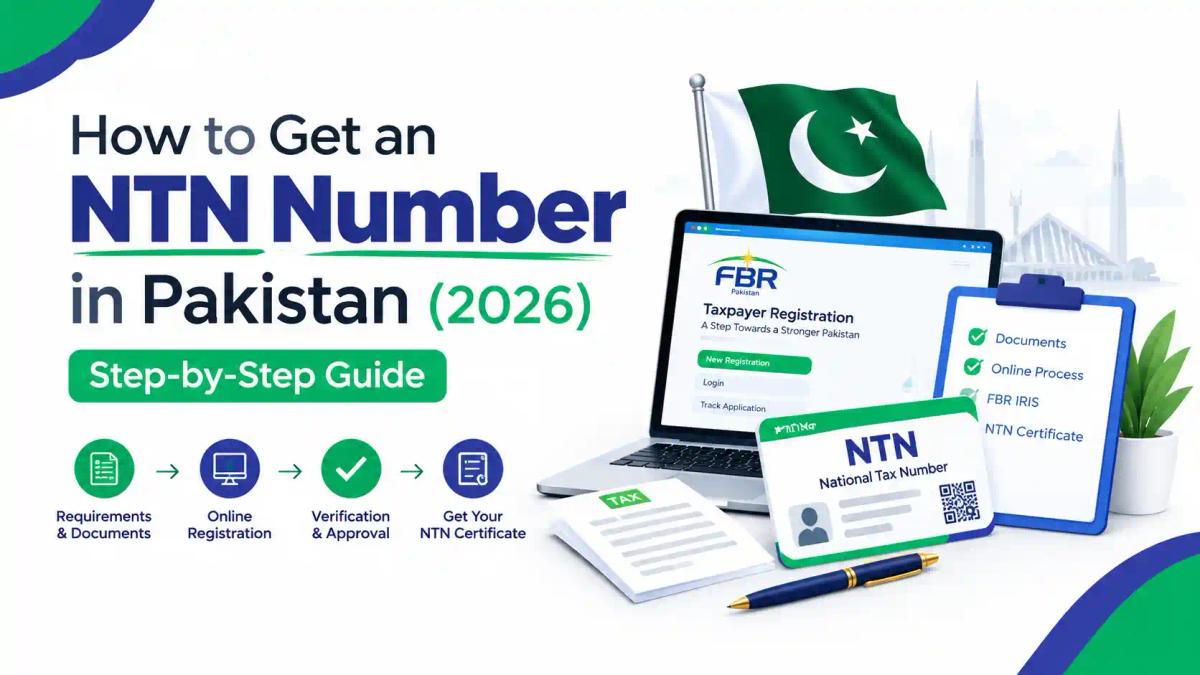
To get an NTN in Pakistan, you register on the FBR's IRIS portal. Click Registration for Unregistered Person, enter your CNIC, verify the codes sent to your NADRA-registered mobile and email, complete Form 181 and set a password. Your NTN is generated instantly and equals your CNIC. Registration costs nothing. Companies registered with the SECP receive the NTN automatically at the company's email address. AOPs and partnerships register through their principal officer. Once you have an NTN, the next step is filing your return. For the full portal walkthrough, see our IRIS registration guide.
Introduction
Most people search "how to get NTN number" because something has stopped them. A bank wants a tax number, a client asks for one before paying an invoice, or a property dealer mentions filer rates. The good news is that obtaining an NTN is a free, online, one-time process. The bad news is that many people get stuck on small details, such as a SIM registered in a parent's name, an incomplete Form 181, or confusing an NTN with filer status.
This guide covers the complete process for every type of taxpayer: salaried individuals, freelancers, sole proprietors, AOPs, companies, existing taxpayers with old manual NTNs, and overseas Pakistanis. It also explains what to do after registration, which is where most of the money is saved or lost.
At Institute of Corporate & Taxation (ICT), we teach IRIS registration and return filing as part of our practical taxation programmes. If you want to understand how NTN, STRN, ATL and SECP registration fit together, read our explainer on the difference between ATL, NTN, STRN and SECP. If you are unsure whether you are legally required to file, check who must file an income tax return in Pakistan.
What Is an NTN in Pakistan?
NTN stands for National Tax Number. It is your registration identity with the Federal Board of Revenue (FBR) for income tax purposes. Registration is governed by Section 181 of the Income Tax Ordinance 2001, and the application is made on Form 181 through IRIS, FBR's online tax system.
What the NTN looks like depends on who you are:
- Individuals (salaried, freelancers, sole proprietors): After successful registration, the individual's 13-digit CNIC is used as the NTN or income-tax registration number. You do not receive a new number to memorise. You become registered against your CNIC.
- Companies and AOPs: these entities receive a separate NTN. Companies and AOPs use their 7-digit NTN, along with the password set at registration, to log in to IRIS.
Important distinction: an NTN proves you are registered. It does not make you a filer. Filer status (being on the Active Taxpayers List) comes only from filing your income tax return on time.
What Does an NTN Look Like? Registration Number vs Reference Number
Many people are confused because IRIS and FBR's verification services show more than one number. FBR's own guidance explains that e-Enrollment with FBR provides you with a National Tax Number (NTN) or Registration Number and password. In case of individuals, 13 digits Computerized National Identity Card (CNIC) will be used as NTN or Registration Number. NTN or Registration Number for AOP and Company is the 7 digits NTN received after e-enrollment.
| Taxpayer | Registration Number / NTN | Used to log in to IRIS |
|---|---|---|
| Individual (salaried, freelancer, sole proprietor) | 13-digit CNIC | CNIC without dashes |
| AOP / partnership firm | 7-digit NTN | 7-digit NTN |
| Company | 7-digit NTN | 7-digit NTN |
What about the "Reference Number"? FBR's verification screens may show a Reference Number alongside the Registration Number. For individuals, the Registration Number (your CNIC) is the number to give banks, employers and clients when they ask for your NTN. Some older documents show NTNs with an extra digit after a hyphen. If a form asks for your NTN and you are unsure which format it expects, copy the number exactly as it appears in your IRIS registration record.
Is NTN the same as CNIC? For individuals, yes. For companies and AOPs, no. They have their own NTN, separate from the owners' CNICs.
NTN vs CNIC vs STRN vs ATL: What Is the Difference?
| Term | What it is | Who issues it | How you get it |
|---|---|---|---|
| CNIC | National identity card | NADRA | Identity registration |
| NTN | Income tax registration number (equals CNIC for individuals) | FBR | Form 181 on IRIS |
| STRN | Sales tax registration number | FBR (federal); provincial authorities for services | Separate sales tax registration |
| ATL status | Name on the Active Taxpayers List ("filer") | FBR | Filing your income tax return by the due date |
A common misunderstanding is that an NTN automatically covers sales tax. NTN is primarily the income-tax registration reference. Sales-tax registration is a separate process. If you supply taxable goods, see our guide on how to register for sales tax in Pakistan.
Who Needs an NTN?
You should register for an NTN if any of these apply:
- You are required to file an income tax return (for example, because your income is taxable or you own certain assets).
- You are a freelancer receiving foreign or local payments.
- You run a shop, agency, clinic, consultancy or any other business in your own name.
- You are forming a partnership, AOP or company.
- You plan to buy or sell property or a vehicle and want to file a return so you can be taxed at filer rates.
- A client, employer, bank, tender authority or marketplace has asked for your tax registration.
Can you get an NTN without a business or taxable income? Yes. Students, homemakers and people with income below the taxable threshold can register voluntarily. Many do so to file a return (including a nil return) and join the ATL. Students can read our dedicated guide on FBR registration for students.
Why Is an NTN Important in Pakistan?
An NTN is the entry point to Pakistan's formal tax system. On its own it does not reduce your tax. Almost every tax benefit, business opportunity and compliance step depends on having one. Here is why it matters.
1. You cannot file an income tax return without it
Registration comes first. Without an NTN you cannot file a return, submit a wealth statement or claim a refund on IRIS. If you are legally required to file, registering is the first compliance step, not an optional one. See who must file an income tax return in Pakistan.
2. It is the route to filer (ATL) status and lower withholding tax
Filer status is where the real savings are, and you can only become a filer if you are registered. Withholding tax for people outside the Active Taxpayers List is considerably higher. One reading of the Ordinance notes that it charges people not on the Active Taxpayers List double the normal rate on most transactions, three times the rate on vehicle registration, and special higher rates on property. FBR's own awareness messaging also points out that filers are not subject to withholding tax on cash withdrawals from banks under the applicable provisions. For current figures, see our non-filer tax rates guide.
3. Clients, employers and platforms ask for it
Corporate clients, employers, banks and payment channels regularly ask for a tax registration number before they onboard you or release payments. This applies especially to consultants, contractors and freelancers. Having an NTN ready avoids delays and shows you operate formally.
4. It is required for other registrations
Sales tax registration (STRN), many import and export processes, and vendor or supplier registration with larger organisations all build on your income tax registration. If you plan to grow beyond a small side income, an NTN is the foundation. See how to register for sales tax.
5. It supports tenders and contracts
Government departments and larger private buyers commonly ask for NTN details, and often proof of ATL status, as part of tender or supplier documentation. Without registration, you may not be able to bid at all.
6. It documents your income and assets
Once registered, you can declare your income and wealth each year through the return and wealth statement. This builds a documented record of where your money came from. That record is valuable when you buy property, sell assets, apply for loans or respond to an FBR query.
7. It gives you a direct channel with FBR
Your IRIS account, created at registration, is where FBR sends notices and orders. It is also where you pay tax through a PSID and update your profile. Without an account, you may not see a notice until the problem has grown. See FBR notices explained.
8. Registering early protects you from late-filing costs
If you register only when a deadline or transaction forces you to, you are more likely to file late. After the Finance Act 2026, the surcharge for rejoining the ATL after a late return rose to Rs. 25,000 for individuals. Registering well before the filing season is the cheapest option.
In short: the NTN is your tax identity, and filing your return is what turns it into savings. One free registration opens the door to lower withholding tax, business opportunities and a clean compliance record.
Is NTN Registration Free, and How Long Does It Take?
- Cost: FBR charges no fee. Registration is free and takes roughly 10–15 minutes if your CNIC and mobile number are correctly linked with NADRA. A consultant may charge for their time, but no government fee is payable.
- Time for individuals: usually the same session, once both verification codes arrive and Form 181 is submitted.
- Time for AOPs and companies: this varies. Company NTNs are normally triggered by SECP incorporation. AOP applications can take longer if the tax office asks for documents or clarification.
Before You Start: NTN Registration Checklist
Get these ready before opening IRIS. The portal can time out, and having everything to hand avoids restarting.
| Person type | What you need |
|---|---|
| Salaried individual | CNIC; mobile number registered in your own name; working email; residential address; employer's name and NTN (if known); bank account details |
| Freelancer / sole proprietor | Everything above, plus business or trading name, business address, start date of business, nature of business activity |
| AOP / partnership | Entity or firm name, business address, accounting period, principal business activity, principal-officer details, members' or partners' particulars, partnership deed, registration certificate where applicable, and bank-account information |
| Company | SECP Certificate of Incorporation; company email; principal officer's details; registered office address |
The most important item is your mobile number. Most issues arise from mobile numbers not registered on the taxpayer's own CNIC. A number in your father's, spouse's or employer's name usually causes verification to fail. Check your SIM ownership before starting.
Steps to Obtain an NTN as an Individual (Salaried or Non-Business)
Step 1: Open the official IRIS portal
Go to iris.fbr.gov.pk. Type the address yourself rather than clicking ads or look-alike links. Only enter your CNIC on the official government domain.
Step 2: Click "Registration for Unregistered Person"
This option appears near the login fields. Enter your 13-digit CNIC without dashes, your full name exactly as printed on your CNIC, your mobile network and number, and your email address. Complete the captcha and submit.
Step 3: Verify the two codes
The system will send "PIN codes" on the provided "Cell No." and "Email Address". Enter both codes. If the email does not arrive, check your spam or junk folder before requesting a new code.
Step 4: Log in with your CNIC and the password you receive
According to FBR's own registration guide, on successful pin verification Iris will send password of provided email address and cell number. You then log in with your CNIC as the registration number. Change the temporary password to a strong one of your own and store your PIN safely, because you will need it when submitting returns.
Step 5: Open the draft Form 181
FBR's step-by-step guide explains that to complete the registration process, click on "Draft" section from main Iris dashboard, then open Registration, where Iris will display a task of "181 (Form of Registration filed voluntarily)". Select it and click Edit. IRIS 2.0 has a redesigned interface, so labels may look slightly different, but the Form 181 task remains the core of registration.
Step 6: Complete Form 181 carefully
Form 181 is your taxpayer profile. Fill in:
- Personal details: name, date of birth and residential status, all matching your CNIC.
- Contact details: mobile and email (already verified).
- Address: your residential address, entered exactly as it appears on a utility bill or tenancy document where possible.
- Source of income: salary, business, property, or other.
- Employer details: if you are salaried.
- Bank accounts: accounts held in your name.
- Business details: only if you run a business (see the sole proprietor section below).
Which Regional Tax Office (RTO) Will You Be Assigned To?
Every registered taxpayer falls under the jurisdiction of a Regional Tax Office (RTO), or a Large Taxpayers Office for bigger taxpayers. Your RTO is where notices are issued from, where you visit for manual issues such as lost IRIS access, and where modification or cancellation requests are decided.
Jurisdiction is linked to the address and business location you declare in Form 181. This is another reason to enter your address accurately. A wrong address can place you under the wrong RTO, which makes later issues slower to resolve.
If you are under the wrong RTO: update your address through a Form 181 modification. If jurisdiction still does not change, contact the RTO shown in your profile and request a transfer of jurisdiction with proof of your correct address.

Step 7: Submit and confirm
Review every tab, then submit. For individuals, your account is created and your NTN is generated instantly - for an individual it is simply your CNIC.
Step 8: Save your registration record
Download or print the registration order and keep it with your tax records (see "How to Download Your NTN Certificate" below).
Alternative route: FBR's Tax Asaan mobile app lists Income Tax Registration (Signup) among its features, alongside return filing, e-payment and online verification. The web portal remains the most complete option for first-time registration.
NTN Registration for Freelancers and Sole Proprietors
A sole proprietorship is not a separate legal entity. The proprietor remains the taxpayer, while the business particulars are recorded in the proprietor's CNIC-based FBR profile. In practice, this means:
- You register as an individual (Steps 1 to 5 above).
- In Form 181, you add your business in the Business section: business name, business address, the date the business started, and the principal activity code that best describes what you do (for example, software development, retail trade or consultancy).
- You can add more than one business to the same profile if you run separate ventures.
- Your NTN remains your CNIC.
Practical tip for freelancers: choose an activity description that honestly reflects your work, such as IT or IT-enabled services if that is what you provide. Your activity affects how your income is treated and how your return is prepared later. Our freelancer tax guide explains filing after registration, and our business NTN registration guide goes deeper into business profiles.
How to Add a Business to an Existing NTN (or Change Your Activity)
You do not need a new NTN to start a new business, add a second business or change what your business does. You update your existing profile through a modification of registration (Form 181 for change in particulars).
To add a new business:
- Log in to IRIS with your CNIC and password.
- Open Registration and start the Form 181 modification (change in particulars).
- Go to the Business section and add the new business name, address, start date and principal activity.
- Submit and verify with the code sent to your registered mobile or email.
To change your principal activity or business address: follow the same route and edit the relevant fields.
To remove a business that has closed: edit the business entry in the same modification form. If the business has permanently ended, read the section on business discontinuance below, because the law requires more than removing a line from your profile.
Modifications are not automatic approvals. FBR guidance states that a person would have to file a modification form of registration in Iris to change the relevant particulars. The Commissioner will grant or refuse the requested modification. Keep proof of the change, such as a tenancy agreement or utility bill for a new address, in case the tax office asks for it.
Timing matters. Guidance on registration rules notes that where there is a change in the name, address or other particulars stated in the registration certificate, the registered person shall notify the change in the prescribed form to the RTO within fourteen days of such change.
NTN Registration for an AOP or Partnership Firm
An Association of Persons (AOP), which includes partnership firms, is registered as its own taxpayer and receives its own NTN. The process is:
- Register each partner and the principal officer as individuals first. The principal officer applies on behalf of the AOP from their own IRIS profile.
- Prepare the documents: partnership deed, firm registration certificate from the Registrar of Firms (if the firm is registered), partners' CNICs, business address proof, and bank account details.
- File the AOP's Form 181 through IRIS, entering the firm's name, address, accounting period, principal activity and each member's share.
- Respond to any queries from the Regional Tax Office (RTO). AOP applications are not always approved instantly.
- Log in with the AOP's NTN once issued, and keep the registration order on file.
The exact file depends on whether the firm is registered or unregistered and on the nature of its business.
NTN Registration for a Private Limited Company
For companies, SECP and FBR systems are linked. FBR describes this as a one window facility based on back-end integration between SECP and FBR systems. Through this facility, the entrepreneur can login to the SECP online portal eServices and get the company registered with the SECP; they will then receive the NTN automatically at the company's email address.
After incorporation:
- Check the company email for the NTN and IRIS credentials.
- Log in to IRIS and verify that the company's address, principal officer, directors and business activity are correct.
- Add the company's bank account details.
- Where the company's NTN or Iris credentials are not received correctly after incorporation, follow-up or correction may be required. Contact the relevant RTO with your Certificate of Incorporation.
If you have not yet incorporated, start with our guide on how to register a private limited company with SECP and our IRIS registration guide for companies.
Already Have an Old NTN? Use e-Enrolment Instead
If you were registered with FBR years ago (for example, you received a manual NTN before online registration), do not use "Registration for Unregistered Person". FBR's online services distinguish between E-enrollment for registered person, new registration for unregistered person. If you are already a tax-payer but haven't done the e-enrolment, you can choose the first option. Creating a second registration causes duplicate records that are difficult to fix.
Not sure if you are registered already? Check first using FBR's online verification (explained below).
NTN Registration for Overseas Pakistanis
Overseas Pakistanis can register online with a CNIC or NICOP. The main practical hurdle is verification. Registration verification may still require a Pakistani mobile number for SMS codes. If you do not have a Pakistani SIM registered in your own name, speak to the RTO or an authorised tax practitioner about the options available to you, rather than using a relative's number.
When completing Form 181 and later your return, declare your residential status correctly. Under Section 82 of the Income Tax Ordinance, 2001, the primary test is simple: if you are physically present in Pakistan for fewer than 183 days during a tax year (1 July to 30 June), you are generally treated as a non-resident for tax purposes. Residency has further technical rules, so get advice if your travel pattern is borderline.
NTN Registration for Foreign Nationals, Trusts, NGOs and Other Entities
IRIS registration is not limited to Pakistani individuals, AOPs and companies. FBR states that an individual, a company and an association of persons (AOP) or foreign national shall be treated as registered, when they are e-enrolled on the Iris portal.
- Foreign nationals: foreign nationals earning Pakistan-source income can register on IRIS by choosing the foreign national category. They use their passport details in place of a CNIC, and they receive a registration number after e-enrolment.
- Trusts, NGOs, societies and other bodies: these are registered as entities, not under an individual's CNIC. Registration guidance lists entity types such as public limited, private limited, unit trust, trust, NGO, society, small company, modaraba. Keep the entity's constitutional documents ready: trust deed, society registration certificate, or equivalent registration from the relevant authority. You will also need the principal officer's details.
- Non-profit organisations: an NTN is only the first step for an NPO. Obtaining tax-exempt or approved status is a separate process with its own requirements, so get professional advice before assuming an NPO's income is exempt.
How to Download Your NTN Certificate
Your "NTN certificate" is the registration order generated after your Form 181 is accepted. To obtain it:
- Log in to IRIS with your CNIC (or entity NTN) and password.
- Open your completed registration task (Form 181).
- Open the registration order and print or save it as PDF.
You can also generate a public registration record through FBR's online verification. The IRIS home page offers verification services that include Income Tax Registration and the Active Taxpayers List. Banks and clients generally accept this printout as proof of registration.
How to Verify Your NTN and Check ATL Status
To check registration: use the Online Verification section on the IRIS home page and select Income Tax Registration. Enter your CNIC (individuals) or NTN (entities). FBR's Tax Asaan app also shows profile details such as Registration No, Reference No, Registered for Sales Tax, Name, Category and Registration Status.
To check filer (ATL) status by SMS: send ATL followed by your 13-digit CNIC to 9966. Neither method requires an IRIS login.
Remember that a new NTN will show as registered but not active. You appear on the ATL only after filing a return. For more detail, see our online NTN verification guide and our ATL explainer.
How to Check Another Person's or Company's NTN
Businesses often need to confirm a supplier's, client's or tenant's registration before making payments, especially when deciding the correct withholding tax rate.
- Registration check: use Online Verification on the IRIS home page and select Income Tax Registration. Enter the person's CNIC (individual) or NTN (entity). The result confirms whether they are registered and shows basic particulars such as name and tax office.
- Filer check: send "ATL" followed by the CNIC or NTN to 9966, or use the Active Taxpayers List verification on IRIS.
- Using the Tax Asaan app: the app's verification services let you check the Active Taxpayers' List and make an NTN Inquiry or an online STRN Inquiry.
Tip: ask the counterparty for their CNIC or NTN directly. Verification works on the number, and guessing from a business name is unreliable.
What Happens After You Get an NTN? (Read This Before 30 September)
An NTN on its own does not save you tax. Filing does.
1. File your income tax return on time
For Tax Year 2026 (income from 1 July 2025 to 30 June 2026), the Federal Board of Revenue (FBR) has urged taxpayers to file their income tax returns for Tax Year 2026 by September 30. Companies generally have until 31 December 2026. If you register this week, you still have time. Follow our steps to file your income tax return and gather the documents required for your Tax Year 2026 return.
2. Understand what late filing now costs
The Finance Act 2026 changed the cost of filing late:
- ATL surcharge: For individuals, the surcharge jumps from Rs. 1,000 to Rs. 25,000. For Associations of Persons, the range has been increased from Rs. 10,000 to Rs50,000, and for companies it rises from Rs. 20,000 to Rs. 100,000. This is payable if you file after the due date and want to be included on the ATL.
- Late-filing penalty: under Section 182, you pay a late filing penalty that starts at Rs 1,000 a day, separately from the surcharge.
- Relief for individuals: Under the amended Section 182A of the Income Tax Ordinance, 2001, an individual may become eligible for inclusion in the Active Taxpayers List without paying the surcharge by furnishing an undertaking to the Commissioner. The undertaking must declare that the individual will not purchase, acquire, or obtain ownership or beneficial interest in any immovable property for a period of six months from the date of furnishing the undertaking.
See our late filer surcharge guide for details.
3. Why filer status matters
Withholding tax rates for people not on the ATL are substantially higher. One analysis of the Ordinance notes that the Ordinance charges people not on the Active Taxpayers List double the normal rate on most transactions, three times the rate on vehicle registration, and special higher rates on property. Our non-filer tax rates guide and 236C and 236K property tax guide set out the current rates.
4. Keep your profile updated
If your address, mobile, email, employer or business changes, update Form 181. Log in → Registration → Form 181 (Change in Particulars) → update the mobile/email → verify with the code sent → submit.
Can You Cancel an NTN? Deregistration Explained
Most individuals never need to cancel an NTN. Your CNIC-based registration stays with you for life, and you can simply keep filing returns. Cancellation becomes relevant when a business is permanently closed, a partnership is dissolved, a company is wound up, or a taxpayer has died.
The legal starting point for businesses is Section 117 of the Income Tax Ordinance 2001. It provides that any person discontinuing a business shall give the Commissioner a notice in writing to that effect within fifteen days of the discontinuance. The person may also have to furnish a return of income for the period commencing on the first day of the tax year in which the discontinuance occurred and ending on the date of discontinuance.
Cancellation is decided by the Commissioner, not by the taxpayer. The Commissioner may by order in writing cancel the Income Tax Registration of a taxpayer after ascertaining that there is no outstanding liability against the taxpayer.
Typical steps:
- Give written notice of discontinuance to the Commissioner Inland Revenue at your RTO within the time limit.
- File any pending returns, including the final return for the discontinued period if required.
- Clear all outstanding tax, penalties and default surcharge.
- Apply for cancellation through IRIS (where the option is available for your profile) or by written application to your RTO, with supporting evidence:
- Business closure proof (sole proprietor)
- Dissolution deed (AOP)
- SECP winding-up or strike-off order (company)
- Death certificate (deceased taxpayer)
- If you are also registered for sales tax, deregister the STRN separately under the Sales Tax Act 1990.
For deceased taxpayers: FBR has issued a standard procedure for deregistering the NTNs and STRNs of deceased persons. It begins with verification of an official death certificate from the concerned authorities (i.e. NADRA), followed by the commissioner marking the status in IRIS as "verified as Deceased".
Why it matters: until registration is formally cancelled, filing obligations and notices can continue. Do not simply stop filing after closing a business.
Common NTN Registration Problems and How to Fix Them
| Problem | Likely cause | What to do |
|---|---|---|
| SMS code not arriving | Mobile number not registered to your CNIC, network delay, or too many resend attempts | Confirm SIM ownership with your network. Wait before retrying. Check that you selected the correct network. |
| Email code missing | Spam filter or typing error | Check spam and junk folders. Re-check the address you entered. |
| "Already registered" message | You have an old NTN or someone registered you earlier | Use e-Enrolment or "Forgot Password" instead of new registration. |
| Name or data mismatch | Details don't match NADRA | Enter your name exactly as it appears on the CNIC. |
| Forgotten password | Lost credentials | Click "Forgot Password" on the login page, enter your CNIC, and a reset code will be sent to your registered mobile or email. If you've lost access to both, visit your nearest RTO with your CNIC. |
| Login rejected | Format errors | Remove the dashes from your CNIC. The single most common failure. |
| "You are not e-enrolled" message | You were registered with FBR in the past (e.g. a manual NTN) but never e-enrolled on IRIS | Use the e-Enrolment option for registered persons, not new registration. If it still fails, contact your RTO with your CNIC and any old NTN documents. |
| "General exception error" or blank screen | Temporary system error, often during peak load or because of browser cache | Log out, clear your browser cache or use a private window, try another browser, and retry at an off-peak time. Don't submit the same form repeatedly. |
More fixes are covered in our IRIS login problems guide and IRIS password reset guide.
Common Mistakes to Avoid
- Using someone else's mobile number. Verification codes, password resets and FBR alerts will all go to that person.
- Stopping after account creation. Receiving a password does not mean you are fully registered. Form 181 must be submitted.
- Treating the NTN as filer status. You still need to file a return every year.
- Registering twice. If you already have an old NTN, use e-Enrolment.
- Choosing the wrong activity or source of income. This creates problems when filing returns and dealing with withholding.
- Leaving out bank accounts or businesses. An incomplete profile can cause mismatches with third-party data later.
- Paying "registration fees" to unofficial websites. FBR does not charge for NTN registration.
- Leaving it until the last week of September. IRIS slows down near the deadline.
Should You Register Yourself or Use a Tax Consultant?
Do it yourself if you are a salaried individual or a simple freelancer with a mobile number in your own name. The process is designed for self-service.
Consider a qualified tax practitioner if:
- You are registering an AOP, or your company's NTN or credentials didn't arrive properly.
- You have an old NTN, duplicate registration, or an access problem that needs RTO involvement.
- You are an overseas Pakistani without a Pakistani mobile number.
- You have several income sources, property, or business activity and want the profile set up correctly for filing.
When hiring help, choose someone with verifiable qualifications, never share your IRIS password casually, and make sure the mobile number and email on your profile remain yours.
Why Choose ICT for Learning NTN Registration and IRIS
At Institute of Corporate and Taxation (ICT), IRIS is taught as a working tool, not as theory. Our taxation programmes cover registration, Form 181 profiles for individuals and businesses, return filing, wealth statements, ATL compliance and responding to FBR notices, using the Income Tax Ordinance 2001 as it currently stands. Our faculty includes practising tax professionals, and classes are available in Islamabad, Lahore and Karachi. If you want to handle NTN registration and filing for clients professionally, the Certified Tax Advisor course is the most direct route. Explore the Course or Enroll Now. For litigation and appellate work, see the Advance Taxation and Litigation course. Explore the Course.
Frequently Asked Questions
What is an NTN number in Pakistan?
An NTN (National Tax Number) is your income tax registration with the FBR. For individuals, it is your 13-digit CNIC. Companies and AOPs receive a separate NTN.
Is NTN registration free?
Yes. FBR charges no fee for NTN registration through IRIS.
How long does NTN registration take?
For individuals, it is usually completed in one session once both verification codes arrive and Form 181 is submitted. AOP and company registrations can take longer.
What documents are required for NTN registration?
Individuals need a CNIC, a mobile number registered in their own name, an email address, address details and bank account details. Businesses also need business name, address and activity details. AOPs need a partnership deed and partners' details. Companies need an SECP incorporation certificate.
Is my CNIC my NTN?
For individuals, yes. After registration, your CNIC is used as your NTN.
Can a freelancer get an NTN?
Yes. Freelancers register as individuals and add their business activity in Form 181. The NTN remains their CNIC.
Can I get an NTN without a business or job?
Yes. Anyone with a valid CNIC can register voluntarily. Many students and homemakers register so they can file returns.
Is a bank account required for NTN registration?
Bank account details form part of your Form 181 profile. You should declare accounts held in your name.
Does getting an NTN make me a filer?
No. You become a filer only when you file your income tax return and appear on the Active Taxpayers List.
How do I check whether my NTN is active?
Use Online Verification on iris.fbr.gov.pk for registration details. For filer status, send "ATL" followed by your CNIC to 9966.
How do I download my NTN certificate?
Log in to IRIS, open your completed Form 181 registration task, and print or save the registration order. Alternatively, use IRIS Online Verification to print your registration record.
Do companies need to apply separately for an NTN?
Usually not. Companies incorporated through SECP receive their NTN automatically at the company email. If it doesn't arrive, follow up with FBR.
I registered years ago. Should I register again?
No. Use e-Enrolment or password recovery. A second registration creates duplicate records.
Is an NTN the same as sales tax registration?
No. Sales tax registration (STRN) is a separate process with its own requirements.
How do I correct my NTN information?
Log in to IRIS and file Form 181 (Change in Particulars) with the updated details.
What should I do after getting an NTN?
File your income tax return by the due date (30 September 2026 for individuals and AOPs for Tax Year 2026), keep your profile updated, and check your ATL status after filing.
Why is an NTN important?
An NTN is required to file an income tax return, which is the only way to become a filer and pay lower withholding tax. Clients, banks and tender authorities also ask for it, and it is needed for sales tax registration and many business processes.
How many digits does an NTN have?
For individuals, the NTN is the 13-digit CNIC. For companies and AOPs, it is a 7-digit number.
Is the registration number the same as the NTN?
Yes. FBR treats the Registration Number and NTN as the same thing: the CNIC for individuals, and the 7-digit NTN for companies and AOPs.
Can I add a new business to my existing NTN?
Yes. File a Form 181 modification on IRIS and add the business in the Business section. You do not need a new NTN.
How do I cancel my NTN?
Notify the Commissioner if you discontinue a business, file any pending returns, clear outstanding liabilities, and apply for cancellation with supporting evidence. The Commissioner decides the cancellation.
Can a foreign national get an NTN in Pakistan?
Yes. Foreign nationals can register on IRIS under the foreign national category.
How do I check a company's NTN?
Use Online Verification on IRIS with the company's NTN, or the NTN Inquiry in FBR's Tax Asaan app.
Conclusion
Getting an NTN in Pakistan is simpler than most people expect. Individuals register free on IRIS with their CNIC, a mobile number in their own name and an email address, and the NTN is simply their CNIC. Freelancers and sole proprietors add their business in Form 181. AOPs register through their principal officer, and companies receive their NTN through SECP integration.
The step that really matters comes next: filing your return on time. With the Tax Year 2026 deadline on 30 September 2026 and the ATL surcharge now Rs 25,000 for individuals who file late, registering early and filing on time is the cheapest option.
If you want to master IRIS, Form 181 and return filing for yourself or for clients, learn it properly with practitioners who work with these rules every day. Book a Seat in ICT's next taxation batch.
Comments (0)
No comments yet. Start the conversation!
Leave a Reply
Your email address will not be published. Required fields are marked *