
How to Check Filer Status Online in Pakistan (FBR ATL Guide 2026)
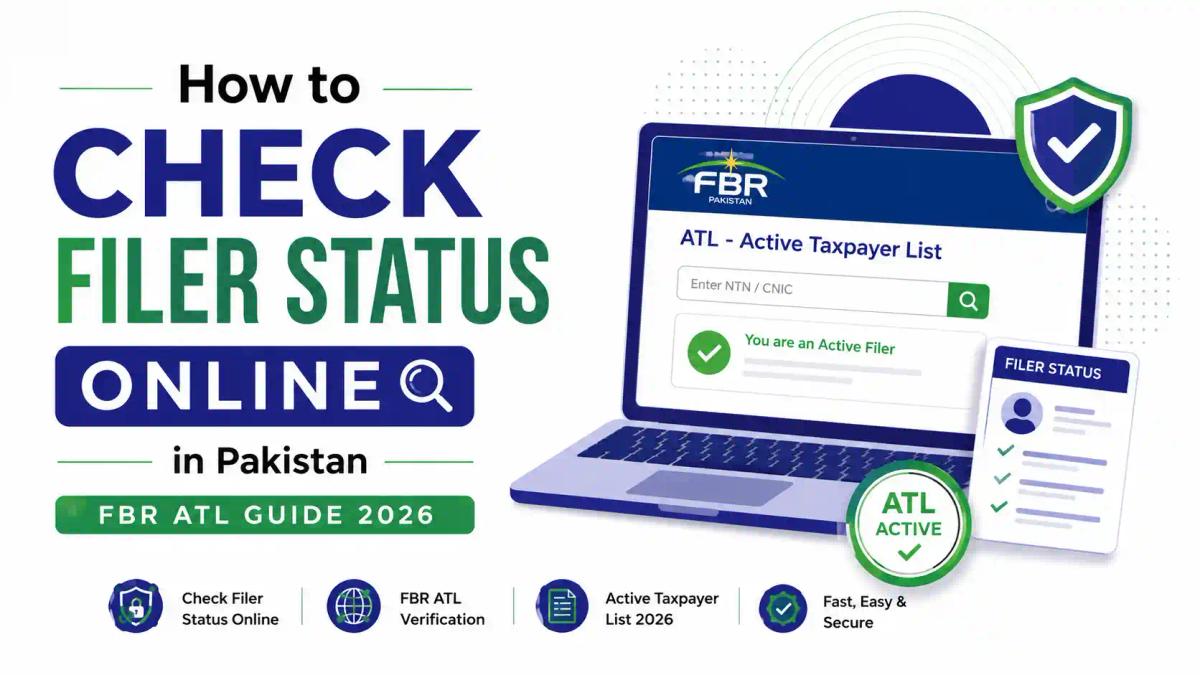
Quick Answer: To check your filer status online in Pakistan, visit the FBR's Active Taxpayer List verification page, enter your CNIC (for individuals) or NTN (for companies/AOPs), and submit. You can also text your 13-digit CNIC to 9966 for an instant SMS reply, or log into the IRIS portal and check your profile under Taxpayer Status.
Introduction
If you've ever paid extra tax on a bank transaction, a property transfer, or a car registration and wondered why, the answer usually comes down to one thing: your filer status. In Pakistan, the Federal Board of Revenue (FBR) maintains a public record called the Active Taxpayer List (ATL), and whether your name appears on it directly affects how much tax you pay on everyday transactions. At the Institute of Corporate and Taxation (ICT), we work with students, accountants, and business owners every day who need to understand — and act on — their filer status, whether they're preparing for a Certified Tax Advisor career or simply trying to avoid non-filer penalties. This guide walks you through exactly how to check filer status online in Pakistan in 2026, what the numbers mean, and what to do next, using the same practical approach we teach in our Advance Taxation and Litigation course.
What Is the FBR Active Taxpayer List (ATL)?
Quick answer: The Active Taxpayer List (ATL) is an official FBR record of individuals and businesses who have filed their income tax return for the relevant tax year. Appearing on the ATL classifies you as a "filer," which entitles you to lower withholding tax rates across dozens of financial transactions.
The ATL is published under the Income Tax Ordinance, 2001 and is maintained by the FBR through its digital backbone, IRIS (Integrated Revenue Information System), built and maintained with support from Pakistan Revenue Automation Limited (PRAL). The list isn't a one-time snapshot — it's a living database. FBR refreshes it weekly, typically every Sunday, based on new return filings, surcharge payments, and compliance actions.
Three statuses are possible:
- Active – Filed the return on time (or with the applicable ATL surcharge).
- Active (Late Filer) – Filed after the deadline but still included, sometimes with different treatment in certain transactions.
- Inactive / Non-Filer – Did not file, or failed to meet conditions for inclusion.
For a deeper breakdown of how ATL differs from related tax identifiers, see our explainer on the difference between ATL, NTN, STRN, and SECP registration.
Why Filer Status Matters in Pakistan
Quick answer: Filer status matters because non-filers pay substantially higher withholding tax — often double the filer rate — on banking transactions, vehicle registration, property purchases, and dividend income, and may face restrictions on certain high-value transactions altogether.
Here's where filer status makes a measurable financial difference:
| Transaction Type | Filer (Active) | Non-Filer (Inactive) |
|---|---|---|
| Bank cash withdrawal (above threshold) | Lower/no additional WHT | Additional withholding tax applies |
| Property purchase/registration | Standard rate | Higher rate, often near double |
| Vehicle registration/transfer | Standard rate | Significantly higher rate |
| Dividend income | Lower withholding rate | Higher withholding rate |
| Profit on bank deposits | Lower rate | Higher rate |
| Government tenders | Eligible | Often ineligible or disadvantaged |
Beyond tax rates, filer status also affects credibility — banks, employers, and business partners increasingly check ATL status before finalizing deals. For a full comparison, read Filer vs Non-Filer in Pakistan and FBR Non-Filer Penalties 2026: Escalation.
How to Check Filer Status Online in Pakistan (3 Methods)
Quick answer: You can check your filer status online through the FBR's ATL verification portal, by sending an SMS to 9966, or by logging into the IRIS portal. All three methods are free and take under five minutes.
Method 1: FBR Online ATL Verification Portal
- Go to the official FBR website (fbr.gov.pk) and open the "Online ATL / Taxpayer Verification" section, or access it directly through iris.fbr.gov.pk.
- Select whether you're checking status "By CNIC" (for individuals) or "By NTN" (for companies, AOPs, or businesses).
- Enter the 13-digit CNIC without dashes, or your NTN.
- Enter the captcha code shown on screen.
- Click Verify or Submit.
- The system displays your current status: Active, Inactive, or Not Registered.
This is the fastest and most direct way to check filer status online in Pakistan, and it doesn't require creating an account.

Method 2: SMS Verification (No Internet Required)
If you don't have internet access, you can still verify your status:
- Type your 13-digit CNIC (without dashes) as a text message.
- Send it to 9966.
- FBR replies within seconds confirming whether you're an Active Taxpayer.
This method is especially useful for freelancers, elderly taxpayers, or anyone in low-connectivity areas.
Method 3: IRIS Portal Login
- Visit iris.fbr.gov.pk and log in using your registered CNIC/NTN and password.
- Navigate to your Taxpayer Profile.
- Check the Taxpayer Status or ATL Status field.
This method is best if you also want to see your filing history, respond to notices, or download tax certificates in the same session. For a complete walkthrough of the portal itself, see our FBR IRIS Login Guide Pakistan 2026 and eFBR vs IRIS: Understanding Pakistan's Tax Portals.
How to Check ATL Status by CNIC
Quick answer: Individuals can check ATL status using only their CNIC — no NTN is required. Enter your 13-digit CNIC (without dashes) into the FBR's online verification tool or text it to 9966.
This applies to salaried employees, freelancers, and sole individuals who file as themselves rather than through a registered business entity. If you're a freelancer verifying your status for the first time, our guide on Freelancer Tax Compliance in Pakistan covers related obligations.
How to Check ATL Status by NTN
Quick answer: Businesses, AOPs, and companies check ATL status using their National Tax Number (NTN) rather than a CNIC, since these entities are registered separately from individual taxpayers.
If you don't yet have an NTN, registration happens through IRIS before you can appear on any ATL record — see our step-by-step guide to obtaining an NTN in Pakistan.
Filer vs Non-Filer: Key Differences
| Aspect | Filer | Non-Filer |
|---|---|---|
| Definition | Name appears on current ATL | Name absent from ATL |
| Return Filing | Filed income tax return for the year | Did not file, or filing lapsed |
| Withholding Tax | Standard/reduced rates | Higher rates (often double) |
| Property/Vehicle Transactions | Smoother, lower cost | Restricted or costlier |
| Business Credibility | Higher | Lower, may lose contracts/tenders |
Understanding this distinction is core to almost every tax career path — it's one of the first concepts covered in our Certified Tax Advisor program.
What to Do If You're Not on the ATL
Quick answer: If you're not on the ATL, file your outstanding income tax return through IRIS and pay any applicable surcharge for late filing. Your name will typically appear in the next weekly ATL update, usually within a few days.
Step-by-step recovery path:
- Log into IRIS (or register if you don't have an account).
- File the pending income tax return for the relevant tax year.
- Pay the ATL surcharge, if applicable, as a separate challan.
- Wait for the next Sunday ATL refresh and re-check your status.
- Keep your CNIC, mobile number, and email updated in your IRIS profile to avoid future issues.
For the full filing process, see Steps to Filing an Income Tax Return in Pakistan 2026 and How to Become a Filer in Pakistan. If you've received a notice from FBR related to non-filing, our guide on responding to an FBR Section 114 notice explains the correct response process.
Common Mistakes When Checking Filer Status
- Entering CNIC with dashes — the system typically requires digits only.
- Assuming ATL status is permanent — it resets each tax year and updates weekly.
- Confusing NTN with CNIC — individuals should use CNIC; only businesses need NTN.
- Filing late and assuming instant inclusion — updates can take several days to reflect.
- Ignoring surcharge payment — a return alone may not restore active status without the required late-filing surcharge.
Expert Tips for Staying Active on the ATL
- File your return well before the deadline (commonly September 30, subject to FBR's annual notification) to avoid the late-filer surcharge.
- Recheck your ATL status every few weeks during peak filing season, since updates happen on a rolling basis.
- Keep a digital record of your CPR (Computerized Payment Receipt) and filing acknowledgment for every tax year.
- If you manage tax compliance for a business, consider using the bulk ATL download option available on the FBR website to verify multiple vendors or employees at once.
- Professionals managing multiple clients often formalize this process — something covered practically in our Master Sales Tax and Certified Tax Advisor courses.
Latest FBR Updates 2026
FBR has continued pushing digital-first compliance in 2026, including expanded use of digital invoicing for registered businesses and stronger data-matching between IRIS, NADRA, banks, and property registries to identify non-filers automatically. These changes make timely ATL verification more important than ever, since withholding agents now cross-check status in real time before applying tax rates. For the latest regulatory changes, see our coverage of the FBR Digital Invoicing System 2026 and Pakistan's Tax System in 2026.
FAQs
1. How can I check my filer status online in Pakistan?
Visit the FBR's Active Taxpayer List verification tool, enter your CNIC or NTN, and submit. You'll instantly see whether you're Active, Inactive, or Not Registered.
2. Can I check filer status without internet?
Yes. Send your 13-digit CNIC (without dashes) via SMS to 9966, and FBR will reply with your current status.
3. How often does FBR update the ATL?
The Active Taxpayer List is updated weekly, typically every Sunday, reflecting new filings and surcharge payments.
4. What's the difference between filer and non-filer status?
A filer's name appears on the current ATL after filing their return; a non-filer's name is absent, resulting in higher withholding tax rates on most transactions.
5. Do I need an NTN to check ATL status?
No, individuals only need their CNIC. Businesses and AOPs require their NTN.
6. How long does it take to appear on the ATL after filing?
Typically until the next weekly ATL refresh, though it can occasionally take longer depending on FBR processing.
7. Can I be a late filer and still be Active on the ATL?
Yes, late filers can still appear as Active, but may need to pay a surcharge and could face different treatment in select transactions.
8. Is checking filer status free?
Yes, all three methods — the online portal, SMS, and IRIS login — are completely free.
Conclusion
Checking your filer status online in Pakistan takes less than five minutes, whether you use the FBR's ATL portal, the 9966 SMS service, or your IRIS profile — but understanding what that status means, and how to fix it if you're inactive, is what actually protects your money. With FBR tightening digital compliance checks in 2026, staying Active on the ATL isn't optional for anyone who wants smoother banking, property, and business transactions.
If you want to go beyond checking your own status and build real expertise in Pakistani and international taxation, book a seat at ICT and start with our Certified Tax Advisor or Advance Taxation and Litigation programs.
Comments (0)
No comments yet. Start the conversation!
Leave a Reply
Your email address will not be published. Required fields are marked *