
FBR IRIS Login 2026: Sign In, Registration & Tax Filing Guide
Introduction
If you’re looking for a simple way to access the FBR IRIS portal, complete registration, recover your login credentials, or file your income tax return online, this guide will walk you through the process step by step. The Institute of Corporate & Taxation (ICT) helps individuals and businesses understand Pakistan’s tax system and navigate important FBR processes with greater confidence. In this guide, you’ll learn how to log in to FBR IRIS, register as a taxpayer, manage your account, submit your income tax return, and avoid common filing mistakes in 2026.
FBR IRIS Login 2026: Complete Step-by-Step Guide
Quick Answer: FBR IRIS is Pakistan's official online tax portal where you register, log in, file income tax returns, submit wealth statements, and check your Active Taxpayer status. Visit Institute of Corporate & Taxation (ICT), enter your Registration Number (CNIC/NTN) and password, solve the captcha, and click Login. New users must complete e-enrollment first to get their credentials.
Key Takeaways
- IRIS is accessible only at the official URL: iris.fbr.gov.pk
- Login requires your Registration No. (CNIC for individuals, NTN for businesses), password, and captcha
- First-time users must register through FBR's e-enrollment process before they can log in
- Filing deadline for salaried and business individuals is typically September 30 each tax year
- The Finance Act 2026 sharply increased late-filing surcharges under Section 182A
- IRIS 2.0 brought a faster dashboard, real-time ATL status, and simplified navigation
What Is FBR IRIS?
FBR IRIS is Pakistan's Integrated Revenue Information System — the official web-based platform used to register as a taxpayer, log in with your CNIC or NTN, file income tax returns, submit wealth statements, and manage tax payments. It replaced Pakistan's older, largely manual tax filing process and is now the single digital gateway for individual and corporate tax compliance in the country.
IRIS is operated by the Federal Board of Revenue (FBR), the government body responsible for collecting income tax, sales tax, and federal excise duty across Pakistan. Every taxpayer profile in IRIS is tied to a CNIC (for individuals) or an NTN/Registration Number (for businesses and AOPs), and the system links directly to the Active Taxpayer List, which determines whether you're treated as a "filer" for withholding tax purposes.
Pakistan's historically low tax-to-GDP ratio pushed FBR to make e-filing mandatory and to introduce escalating penalties for people who stay off the ATL — a topic covered in detail in our FBR Non-Filer Penalties 2026 breakdown. Understanding how IRIS works isn't just useful for individual compliance — it's also a core practical skill taught across our Advanced Taxation and Litigation and Master Sales Tax programs, since consultants are expected to operate the portal on behalf of clients.
Common IRIS-related terms you'll encounter:
- NTN — National Tax Number, your unique taxpayer identifier
- CNIC — Computerized National Identity Card number, used as the login ID for individuals
- ATL — Active Taxpayer List, the list of compliant, on-time filers
- PSID — Payment Slip ID, generated to pay tax dues through a bank or wallet
- CPR — Computerized Payment Receipt, issued after a successful payment
FBR IRIS Login 2026
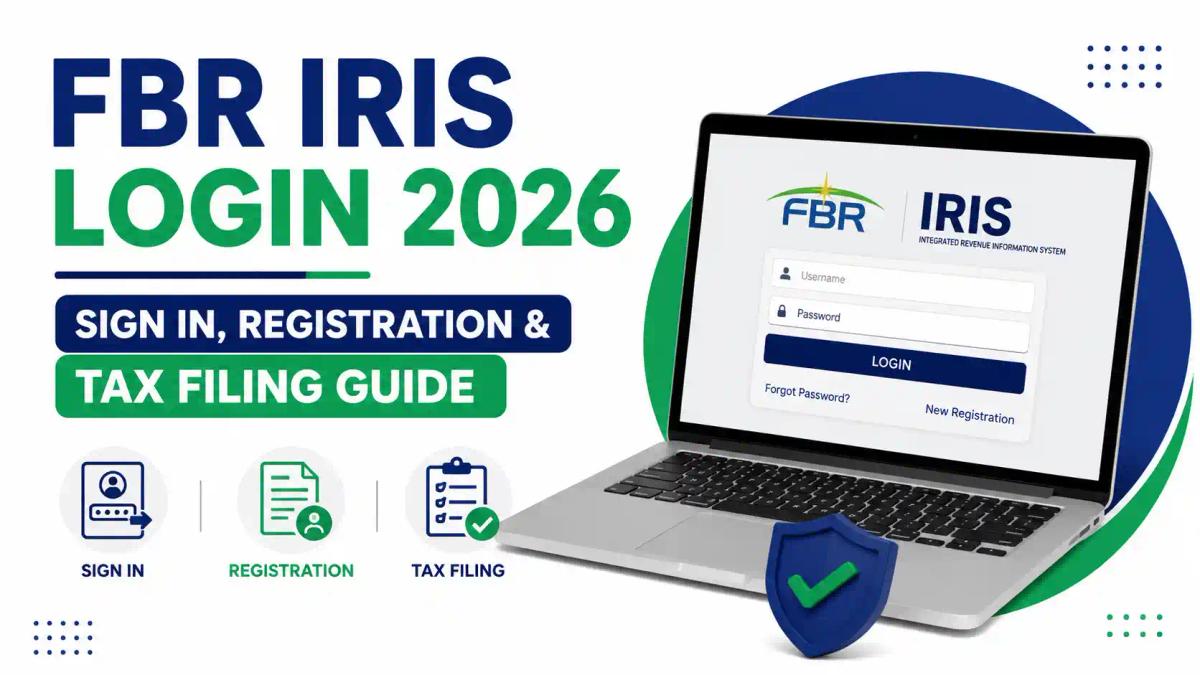
To log into FBR IRIS in 2026, go to iris.fbr.gov.pk, enter your Registration No. (CNIC without dashes for individuals, or NTN for businesses), type your password, solve the captcha, and click Login. If your credentials are correct, you'll land on your taxpayer dashboard, where you can view notices, file returns, and check your ATL status.
A few things changed and matter for the current filing cycle:
- IRIS 2.0 rolled out an updated dashboard with real-time ATL status display and a cleaner navigation panel (more on this in the IRIS 2.0 section below).
- Late-filing penalties increased. Under Section 182A, the Finance Act 2026 significantly raised the ATL surcharge for late filers — previously Rs. 1,000 for individuals, Rs. 10,000 for AOPs, and Rs. 20,000 for companies, these have been widely reported at roughly Rs. 25,000, Rs. 50,000, and Rs. 100,000 respectively, effective from July 2026. Always verify the exact current figure on fbr.gov.pk, since these numbers have shifted more than once in recent years.
- The standard filing deadline for salaried individuals and most businesses remains September 30 for a given tax year, though FBR has extended this deadline in past cycles — something our Income Tax Ordinance 2001 Compliance guide tracks in more detail.
Important: Only ever log in through iris.fbr.gov.pk. Fake or lookalike domains asking for IRIS credentials are a known phishing risk — never enter your CNIC and password on a third-party site claiming to be FBR.
Official IRIS Portal
The only official FBR IRIS portal is iris.fbr.gov.pk. There is no separate mobile app login and no alternate "official" mirror site — any other domain asking for your NTN, CNIC, or password should be treated as suspicious.
FBR also runs a few related tools that connect to the same taxpayer database:
| Tool | Purpose |
|---|---|
| iris.fbr.gov.pk | Login, registration, return filing, wealth statement |
| Tax Asaan (mobile) | Simplified return filing and ATL check on mobile |
| FBR Maloomat | View your third-party data (bank profits, purchases, etc.) reported to FBR |
| ATL Verification | Check filer status by CNIC/NTN without logging in |
| e-Payments | Generate and pay PSIDs |
If you're unsure whether a portal is genuine, always navigate to it from the official fbr.gov.pk homepage rather than clicking links from SMS, email, or social media — a precaution we emphasize heavily when training students in our Certified Tax Advisor course, since impersonation scams around tax deadlines are common every filing season.
How to Register on IRIS
First-time users must complete FBR's e-enrollment process before they can log in — this generates your Registration Number and initial password, sent via SMS and email. Registration is free and typically takes 10–15 minutes if you have your documents ready.
What you'll need before you start:
- Valid CNIC or NICOP
- Active mobile number (registered in your name, ideally)
- Active email address
- Employer's NTN (for salaried individuals)
- Business details, if registering as a company or AOP
Step-by-step registration:
- Go to iris.fbr.gov.pk and click "Registration for Unregistered Person."
- Select your taxpayer type — Individual, AOP, or Company.
- Enter your CNIC number and basic personal details exactly as they appear on your ID card.
- Provide your active mobile number and email — both will receive verification codes.
- Enter the codes sent via SMS and email to confirm ownership.
- Submit the form. FBR will issue your Registration Number (usually your CNIC for individuals) and a temporary password.
- Use these credentials to log in and complete your taxpayer profile, including employer/business details and address.
Once registered, you're automatically eligible to appear on the ATL after your first return is filed — a status that directly affects the withholding tax you pay on banking transactions, vehicle registration, and property transfers, as explained in our Filer vs Non-Filer in Pakistan guide. If you're registering a new business rather than yourself individually, see our related walkthrough on how to obtain an NTN in Pakistan.
How to Login with CNIC/NTN
Individuals log in using their 13-digit CNIC (without dashes) as the Registration Number; businesses and AOPs use their assigned NTN instead. Both follow the same login screen and process.
Step-by-step login:
- Open iris.fbr.gov.pk in your browser.
- Click "Login" in the top-right corner.
- In the Registration No. field, type your CNIC (no dashes) or NTN.
- Enter your password exactly as set — passwords are case-sensitive.
- Solve the captcha shown on screen.
- Click "Login" to reach your dashboard.
Common input mistakes to avoid:
- Typing dashes into the CNIC field (e.g., 12345-1234567-1) — most versions of IRIS expect digits only
- Leading/trailing spaces copied in from a saved password
- Caps Lock left on when typing a case-sensitive password
- Using an old NTN format for a business that has since been re-registered
If your credentials are correct but login still fails, the issue is usually session-related or browser-related rather than the credentials themselves — see the troubleshooting section below.
Forgot IRIS Password?
If you've forgotten your IRIS password, click "Forgot Password" on the login screen, enter your CNIC or NTN, choose email or SMS recovery, enter the verification code, and set a new password. This process only works if you still have access to the mobile number or email registered on your profile.
Step-by-step password recovery:
- On the IRIS login page, click "Forgot Password."
- Enter your Registration No. (CNIC/NTN).
- Choose whether to receive the reset code by email or SMS.
- Check your inbox or messages for the verification code.
- Enter the code on the portal.
- Create a new password and log in.
If you no longer control the registered email or mobile number, IRIS cannot send you a recovery code automatically — there's no online workaround by design, for security reasons. In that case:
- Visit your Regional Tax Office (RTO) in person with your original CNIC.
- Ask the Taxpayer Facilitation Counter to update your registered contact details.
- Alternatively, call the FBR helpline at 051-111-772-772 or email helpline@fbr.gov.pk with your CNIC and a clear explanation of the issue.
- You can also submit a written application to the Commissioner Inland Revenue in your jurisdiction requesting a change in particulars.
- A registered tax practitioner can often get this change-of-particulars request processed correctly and faster on your behalf.
Note: Photocopies of your CNIC are usually not accepted for identity-linked changes — bring the original.

FBR IRIS Login Problems & Solutions
Most IRIS login problems fall into five categories: wrong credentials, captcha errors, session timeouts, browser compatibility issues, and server downtime during peak filing season. Nearly all of these have straightforward fixes.
| Problem | Likely Cause | Solution |
|---|---|---|
| "Invalid credentials" error | Wrong CNIC format or password typo | Re-enter CNIC without dashes; check Caps Lock |
| Captcha won't load or keeps failing | Browser extension or ad-blocker interference | Disable extensions, refresh, or try a different browser |
| Page freezes or times out | High traffic near the filing deadline | Try early morning/late night; avoid last-day rush |
| Session expires mid-form | Inactivity during a long return | Save drafts frequently; don't leave tabs idle |
| "Account locked" message | Too many failed login attempts | Wait, or use Forgot Password to reset |
| Portal not loading at all | FBR server maintenance/downtime | Check FBR's official social channels for outage notices |
Practical tip from consultants who file returns daily: avoid logging in during the last 48 hours before the September 30 deadline whenever possible — this is when server load is highest and IRIS is most prone to slowdowns. Filing even a few weeks early avoids most of the friction covered in this table. For a deeper look at how the newer version of the portal handles these issues, see our FBR IRIS 2.0 — 2026 Tax Survival Guide.
Security reminder: always confirm you're on the genuine iris.fbr.gov.pk domain, never share your password or OTP with anyone claiming to be "FBR support," and log out fully after using a shared or public computer.
How to File Income Tax Return on IRIS
To file your income tax return on IRIS, log in, go to Declaration → Income Tax Return, select the correct tax year, enter your income and deduction details, review the computed tax liability, pay any amount due, and submit. Keep your Acknowledgement Slip as proof of filing.
Step-by-step filing process:
- Log in to your IRIS account at iris.fbr.gov.pk.
- From the left panel, click "Declaration," then select "Income Tax Return."
- Select the relevant tax year (for returns filed in 2026, this is typically Tax Year 2025).
- Enter your income details — salary, business income, rental income, freelance earnings, capital gains, etc.
- Add deductions and tax credits — provident fund contributions, life insurance premiums, education expenses, and other eligible items.
- Review the system-computed tax liability.
- If tax is payable, generate a PSID and pay through your bank, ATM, or mobile wallet.
- Submit the return and download your Acknowledgement Slip.
For salaried individuals, your employer's NTN and salary certificate are the two most critical inputs — errors here are the single most common cause of return rejections or mismatches with FBR's own records. Our Income Tax Return Filing Pakistan Mistakes guide covers the errors we see most often in practice. Freelancers and business owners face additional complexity around income categorization — something we teach hands-on in the Certified Tax Advisor program, and freelancers specifically should also review our Freelancers' Tax Rules in Pakistan 2026 guide before filing.
Common mistake to avoid: submitting a return without first checking that the pre-filled bank profit, dividend, or withholding data pulled from FBR Maloomat matches your actual records — mismatches here often trigger a notice later.
How to Submit Wealth Statement
A wealth statement (assets and liabilities declaration) is mandatory alongside your income tax return for most individual filers, and it's submitted through the same IRIS return-filing workflow under the "Wealth Statement" tab.
Step-by-step wealth statement submission:
- While filing your return, navigate to the "Wealth Statement" section within the same declaration.
- List all assets — property, vehicles, bank balances, investments, gold, and other holdings — with their values.
- List liabilities — loans, credit card balances, and other outstanding debts.
- Enter your "Wealth Reconciliation" — this shows how your wealth changed year-on-year in line with your declared income and expenses.
- Review for consistency: a mismatch between declared income and the increase in your net wealth is one of the most common triggers for an FBR audit notice.
- Submit alongside your income tax return.
Expert tip: Keep supporting records (bank statements, property documents, vehicle registration) on hand even after submission — if FBR later issues a notice under Section 114 or asks for reconciliation details, you'll need to substantiate the numbers you declared. Our guide on how FBR audit notices work explains what typically prompts one and how to respond.
How to Generate PSID
A PSID (Payment Slip ID) is generated inside IRIS whenever you owe tax, and it's what you use at a bank, ATM, or mobile wallet to actually pay the amount — after payment, FBR issues a CPR (Computerized Payment Receipt) as proof.
Step-by-step PSID generation:
- Log in to IRIS and go to the "e-Payments" section (or generate it directly from the return if tax is payable).
- Select the relevant tax head — Income Tax, Sales Tax, or Federal Excise Duty, depending on what you owe.
- Confirm the tax year and the amount due, as computed by the system.
- Generate the PSID — this produces a unique payment reference number.
- Pay via 1LINK-enabled ATMs, online banking, mobile wallets, or over the counter at authorized bank branches.
- Once paid, the system automatically links your CPR to your return, confirming the payment.
Note: A PSID typically has a limited validity window — if it expires before you pay, you'll need to generate a fresh one rather than trying to use an expired slip.
How to Check ATL
You can check your Active Taxpayer List status either inside IRIS after logging in, or without logging in at all by using FBR's public ATL verification tool with your CNIC or NTN. IRIS 2.0 now shows this status directly on your dashboard in real time.
To check ATL status without logging in:
- Go to the FBR ATL verification page (accessible from fbr.gov.pk).
- Enter your CNIC (for individuals) or NTN (for businesses).
- Submit to instantly see whether you're listed as an active filer.
To check ATL status inside IRIS:
- Log in at iris.fbr.gov.pk.
- Your dashboard displays current filer/non-filer status directly.
Being on the ATL matters well beyond just compliance — it directly reduces the withholding tax rate applied to bank transactions, vehicle purchases, property transfers, and dozens of other transactions non-filers pay at a much higher rate. See our detailed comparison in Filer vs Non-Filer in Pakistan and our dedicated FBR Active Taxpayer List 2026 breakdown.
IRIS 2.0
IRIS 2.0 is FBR's upgraded version of the tax portal, built to be faster and more user-friendly than the original system, with a redesigned taxpayer dashboard and real-time ATL status.
Key improvements in IRIS 2.0 include:
- A cleaner, more intuitive taxpayer dashboard
- Real-time Active Taxpayer List status display
- Simplified navigation between registration, return filing, and payments
- Better mobile-browser compatibility
- Reduced session-timeout issues compared to the earlier version (though not eliminated entirely — see the troubleshooting section above)
The underlying login process — CNIC/NTN plus password and captcha — has stayed the same; what's changed is mostly the interface and speed. For a full walkthrough of what's different and how to adapt your filing habits, read our dedicated FBR IRIS 2.0 — 2026 Tax Survival Guide. If you're comparing IRIS against FBR's older "e-FBR" branding some users still search for, our eFBR vs IRIS Tax Portal Pakistan guide clears up the confusion.
Why Choose ICT for FBR IRIS Login & Tax Filing?
The Institute of Corporate & Taxation (ICT) provides professional guidance for individuals, freelancers, businesses, and professionals dealing with FBR IRIS registration, login, NTN registration, income tax return filing, and wealth statements. Whether you are registering on IRIS for the first time or facing difficulties with online tax filing, ICT helps simplify the process and ensures that your tax-related requirements are handled accurately and efficiently. With practical knowledge of Pakistan’s taxation system, ICT can help you navigate the FBR IRIS portal with greater confidence in 2026.
FAQs
1. What is the official FBR IRIS login website?
The only official portal is iris.fbr.gov.pk. Any other site asking for your CNIC or password is not genuine.
2. Can I log into IRIS without registering first?
No. First-time users must complete e-enrollment on IRIS to receive a Registration Number and password before they can log in.
3. What do I use as my Registration No. when logging in?
Individuals use their CNIC (usually without dashes); businesses and AOPs use their assigned NTN.
4. What should I do if I forgot my IRIS password?
Click "Forgot Password," enter your CNIC/NTN, and recover access via the email or SMS registered on your profile.
5. What if I no longer have access to my registered email or mobile number?
Visit your Regional Tax Office in person with your original CNIC, or contact the FBR helpline at 051-111-772-772 to request a change in registered particulars.
6. Why does IRIS keep timing out or freezing?
This usually happens due to high server traffic close to the filing deadline. Try logging in early morning or on a different day, and save your return progress frequently.
7. What is the deadline to file an income tax return on IRIS?
The standard deadline for salaried individuals and most businesses is September 30 of the relevant tax year, though FBR has issued extensions in past cycles — always confirm the current year's deadline on fbr.gov.pk.
8. What happens if I file my return late?
Late filers face an ATL surcharge under Section 182A. The Finance Act 2026 significantly raised these penalties, so confirm the exact current amount on the official FBR site before paying.
9. How do I check if I'm on the Active Taxpayer List?
Use FBR's public ATL verification tool with your CNIC/NTN (no login needed), or check your status directly on your IRIS dashboard after logging in.
10. What is IRIS 2.0 and is it different from regular IRIS?
IRIS 2.0 is FBR's upgraded version of the same portal, with a faster interface, redesigned dashboard, and real-time ATL status — the login credentials and process remain the same.
Conclusion
FBR IRIS is the backbone of tax compliance in Pakistan, and once you understand the login flow, registration steps, and common troubleshooting fixes, most of the friction people run into simply disappears. The key recommendation: register early, keep your contact details on IRIS up to date so password recovery never becomes a problem, and file well before the September 30 deadline to avoid both server slowdowns and the steep late-filing penalties introduced under the Finance Act 2026.
If you want to go beyond just filing your own return and build real, practical expertise in Pakistani and international taxation — the kind clients and employers actually pay for — explore our Certified Tax Advisor course or browse the full range of programs at Institute of Corporate and Taxation (ICT). Book a seat at ICT and start turning tax knowledge into a career.
Comments (0)
No comments yet. Start the conversation!
Leave a Reply
Your email address will not be published. Required fields are marked *